SONOSAX SX-R4
+
User interface V1.2 Page
22
of 26
6.1.2 SX-R4+ on your web browser
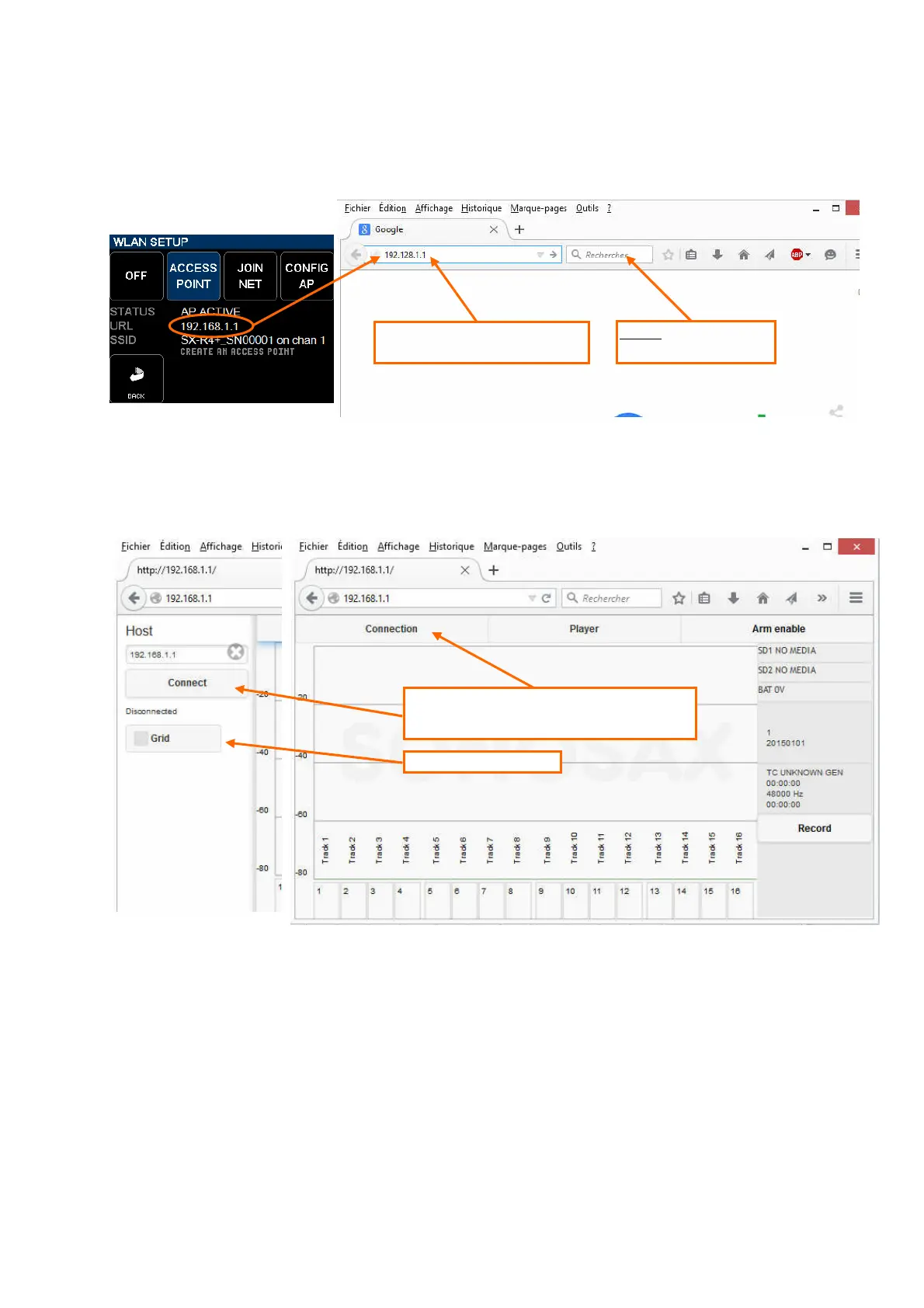
Once your tablet, or other WiFi device, is connected to the SX-R4+ network, open the web browser of the tablet and
type the URL: 192.168.1.1 directly in the URL bar (not in the search field of the browser ! )
Wait until the SX-R4+ web page is displayed in the web browser as illustrated below; depending on the WiFi interface
and the web browser of the tablet it may take several seconds to load.
Once the page is loaded, the web browser must be connected with the SX-R4+ interface. Press on the "Connection"
button on the web page, a new window appears on the left; press the "Connect" button to connect the web browser with
the SX-R4+.
User can also chose to display a grid in the modulometers area.
IMPORTANT NOTE: the web pages of the SX-R4+ are coded in HTML5; not all web browsers fully support HTML5
encoding. At the time of this release only Safari (MacOS) and Firerfox (Windows or Android) are
properly displaying the web page.
On web browsers such as Opera, Internet Explorer or Google Chrome the SX-R4+ web pages
appears shifted and/or incomplete.
Type 192.168.1.1 directly
in the URL bar
Do not use the field of a
search engine
Press on the "Connection" tab to call the host
connection page, then press "Connect" to connect
the web browser with the SX
Toggles the grid On or Off



 To Next Page