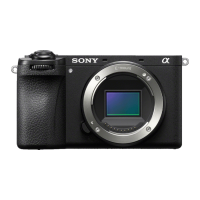
ILCE-9M2
5-010-473-11 (1)
GB
104
C:\5010473111\5010473111ILCE9M2IN5\01GB-ILCE9M2IN5\030BAS.indd
DTP data saved: 2019/07/26 13:31
PDF file created: 2019/08/06 10:22
Aperture Priority
You can shoot by adjusting the aperture and changing the range in focus,
or by defocusing the background.
1
Set the mode dial to (Aperture Priority).
2
Select the desired value by turning the front/rear dial.
• Smaller F-value: The subject is in focus, but objects in front of and
beyond the subject are blurred.
Larger F-value: The subject and its foreground and background are
all in focus.
• If the aperture value you have set is not suitable for appropriate
exposure, the shutter speed on the shooting screen will blink. If this
happens, change the aperture value.
3
Adjust the focus and shoot the subject.
The shutter speed is automatically adjusted to obtain proper exposure.
Note
• The brightness of the image on the screen may differ from the actual image
being shot.


 To Next Page