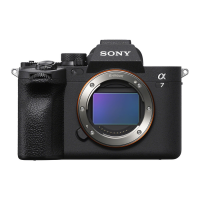
ILCE-9M2
5-010-473-11 (1)
GB
117
Shooting
C:\5010473111\5010473111ILCE9M2IN5\01GB-ILCE9M2IN5\030BAS.indd
DTP data saved: 2019/07/26 13:31
PDF file created: 2019/08/06 10:22
Correcting brightness and contrast
automatically
D-Range Optimizer (DRO)
By dividing the image into small areas, the product analyzes the contrast
of light and shadow between the subject and the background, and
creates an image with the optimal brightness and gradation.
1
MENU (Camera Settings 1) [DRO/Auto HDR]
[D-Range Optimizer].
2
Select the desired setting using the left/right sides of the
control wheel.
D-Range Optimizer: Auto: Corrects the brightness automatically.
D-Range Optimizer: Lv1 — D-Range Optimizer: Lv5: Optimizes
the gradation of a recorded image for each divided area. Select the
optimization level from Lv1 (weak) to Lv5 (strong).
Note
• In the following situations, [DRO/Auto HDR] is fixed to [Off]:
– When [Picture Effect] is set to other than [Off]
• When [ Record Setting] is set to [120p 100M], [100p 100M], [120p 60M],
or [100p 60M], or when [
Frame Rate] is set to [120fps]/[100fps],
[DRO/Auto HDR] switches to [Off].
• When shooting with [D-Range Optimizer], the image may be noisy. Select the
proper level by checking the recorded image, especially when you enhance
the effect.


 To Next Page