ILCE-9M2
5-010-473-11 (1)
GB
109
Shooting
C:\5010473111\5010473111ILCE9M2IN5\01GB-ILCE9M2IN5\030BAS.indd
DTP data saved: 2019/07/26 13:31
PDF file created: 2019/08/06 10:22
Hint
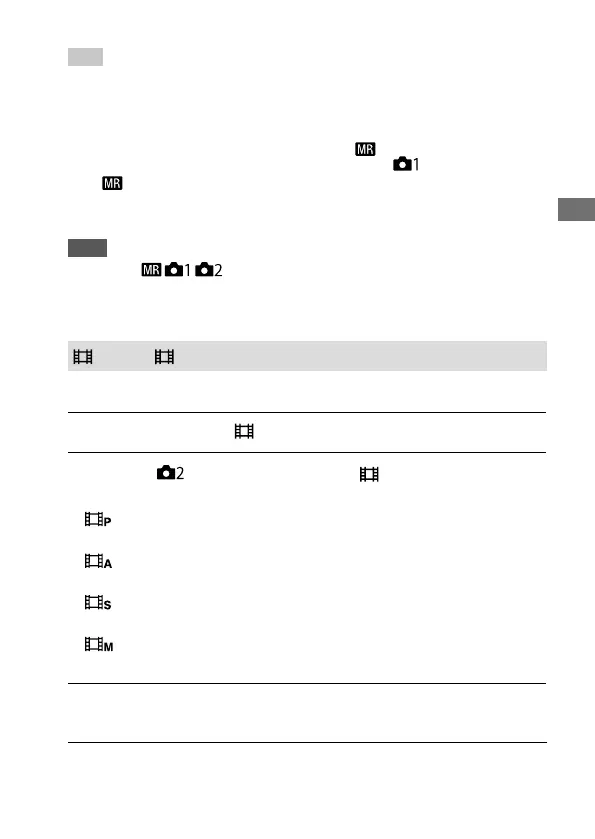
• To recall settings registered to the memory card, set the mode dial to 1, 2, 3
(Memory recall), then select the desired number by pressing the left/right side
of the control wheel.
• If you recall settings registered to the memory card, the settings are recalled
from the memory card in the slot specified in [
Select Media]. You can
confirm the memory card slot by selecting MENU (Camera Settings 1)
[ Select Media].
• Settings registered to a memory card using another camera of the same
model name can be recalled with this camera.
Note
• If you set [ / Recall] after completing the shooting settings, the
registered settings are given priority and the original settings may become
invalid. Check the indicators on the screen before shooting.
Movie: Exposure Mode
You can set the exposure mode for movie shooting.
1
Set the mode dial to (Movie).
2
MENU (Camera Settings 2) [ Exposure Mode]
desired setting.
Program Auto: Allows you to shoot with the exposure adjusted
automatically (both the shutter speed and the aperture value).
Aperture Priority: Allows you to shoot after adjusting the aperture
value manually.
Shutter Priority: Allows you to shoot after adjusting the shutter
speed manually.
Manual Exposure: Allows you to shoot after adjusting the
exposure (both the shutter speed and the aperture value) manually.
3
Press the MOVIE (movie) button to start recording.
• Press the MOVIE button again to stop recording.


 To Next Page