ILCE-9M2
5-010-473-11 (1)
GB
19
Preparations for shooting
C:\5010473111\5010473111ILCE9M2IN5\01GB-ILCE9M2IN5\020PRE.indd
DTP data saved: 2019/07/26 13:31
PDF file created: 2019/08/06 10:22
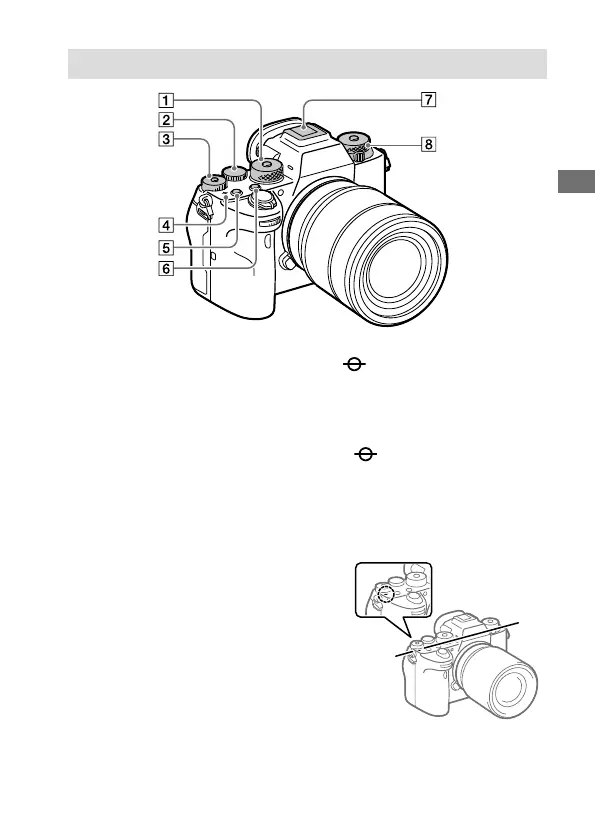
Top side
Mode dial (101)
The mode dial is unlocked
while you hold down the
unlock button at the center.
Rear dial
You can quickly adjust the
settings for each shooting
mode.
Exposure compensation dial
(111)
Pressing the lock button at the
center switches the exposure
compensation dial between
the locked and unlocked status.
The dial is unlocked when the
lock button is popped up and
the white line is visible.
Image sensor position
mark
• The image sensor is the
sensor that converts light
into an electric signal. The
mark shows the location
of the image sensor. When
you measure the exact
distance between the camera
and the subject, refer to the
position of the horizontal line.



 To Next Page