ILCE-9M2
5-010-473-11 (1)
GB
138
C:\5010473111\5010473111ILCE9M2IN5\01GB-ILCE9M2IN5\030BAS.indd
DTP data saved: 2019/07/26 13:31
PDF file created: 2019/08/06 10:22
Using flash (sold separately)
In dark environments, use the flash to light up the subject while shooting.
Also use the flash to prevent camera-shake.
For details on the flash, refer to the instruction manual for the flash.
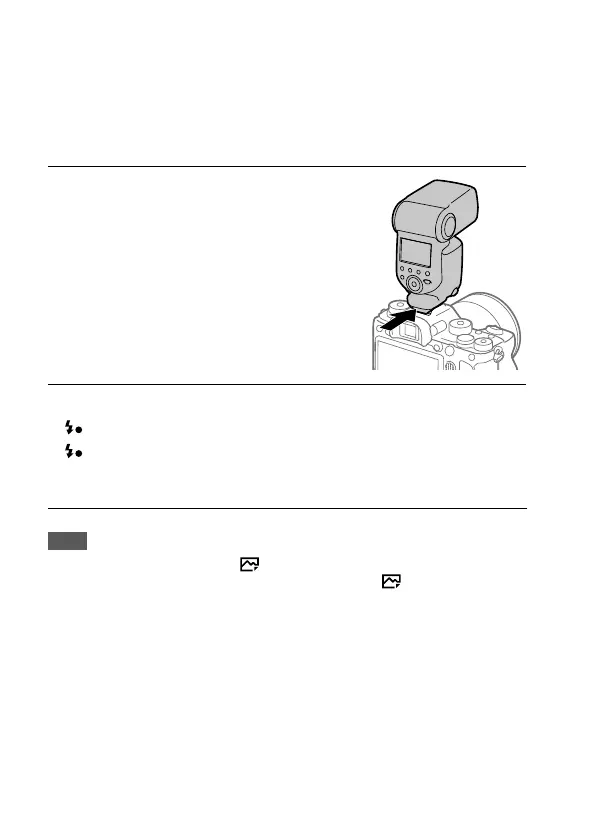
1
Attach the flash
(sold separately) to the
product.
2
Shoot after you have turned on the flash and it is fully charged.
blinking: Charging is in progress
lit up: Charging is finished
• The available flash modes depend on the shooting mode and
function.
Note
• A flash cannot be used when [ Shutter Type] is set to [Electronic Shutter].
• A flash can be used during continuous shooting with [ Shutter Type] set to
[Auto]. The mechanical shutter will be used.
• The light of the flash may be blocked if the lens hood is attached and the
lower part of a recorded image may be shaded. Remove the lens hood.
• When using the flash, stand 1 m or more away from the subject.
• You cannot use the flash when recording movies. (You can use an LED light
when using a flash (sold separately) with an LED light.)
• Before attaching/removing an accessory such as a flash to/from the Multi
Interface Shoe, turn off the product first. When attaching an accessory, make
sure that the accessory is fixed securely to the product.



 To Next Page