ILCE-9M2
5-010-473-11 (1)
GB
64
C:\5010473111\5010473111ILCE9M2IN5\01GB-ILCE9M2IN5\030BAS.indd
DTP data saved: 2019/07/26 13:31
PDF file created: 2019/08/06 10:22
Circ. of Focus Point
Sets whether to allow the focusing frame to jump from one end to
the other when you move the focusing frame with [Focus Area] set
to [Zone], [Flexible Spot], [Expand Flexible Spot], [Tracking: Zone],
[Tracking: Flexible Spot] or [Tracking: Expand Flexible Spot]. This function
is useful when you want to move the focusing frame from one end to the
other quickly.
MENU (Camera Settings 1) [Circ. of Focus Point]
desired setting.
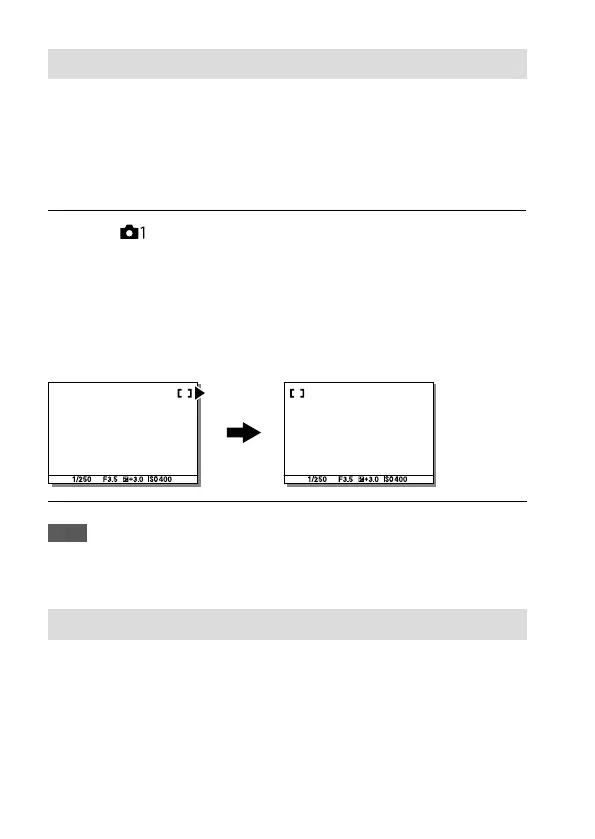
Does Not Circulate: The cursor does not move when you try to move the
focusing frame past the end.
Circulate: The cursor jumps to the opposite end when you try to move
the focusing frame past the end.
When [Circulate] is selected:
Note
• Even if you set [Circ. of Focus Point] to [Circulate], the focusing frame will not
circulate diagonally.
AF Micro Adj.
Allows you to adjust the auto-focusing position and register an adjusted
value for each lens when using A-mount lenses with an LA-EA2 or LA-EA4
Mount Adaptor (sold separately).
Use this function only when adjustments are needed. Note that the auto
focus function may not be performed at a proper position when using this
adjustment.



 To Next Page