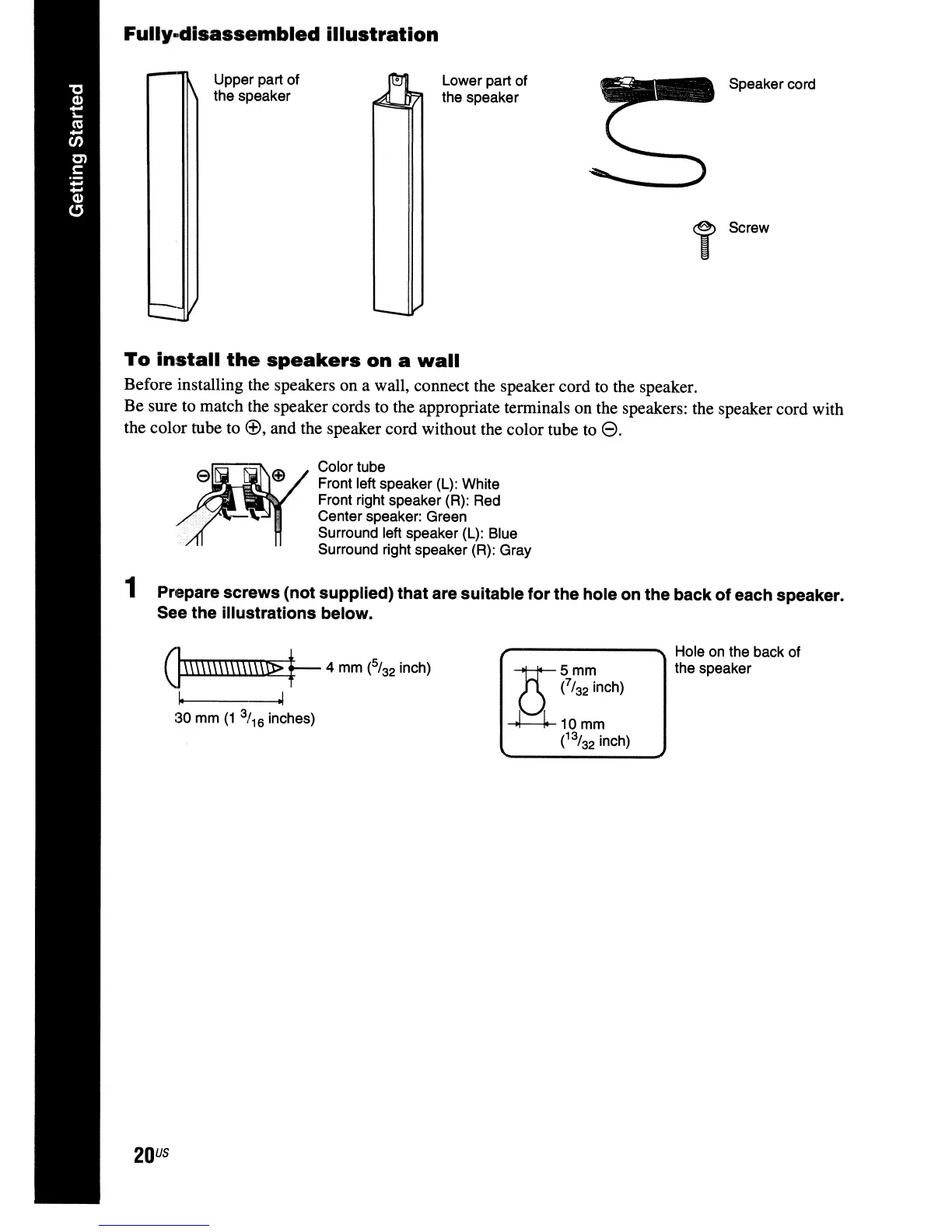
Speaker cord
i Screw
Hole on the back of
the speaker
1=i
5mm
o
(/32
inch)
~10mm
e%2
inch)
Lower part of
the speaker
Color tube
Front left speaker (L): White
Front right speaker (R): Red
Center speaker: Green
Surround left speaker (L): Blue
Surround right speaker (R): Gray
Upper part of
the speaker
G\\\\\\\\\\\\\\0>
t--
4 mm
(%2
inch)
~
---01
30 mm
(1
3/
16
inches)
20
US
To
install
the
speakers
on
a
wall
Before installing the speakers on a wall, connect the speaker cord to the speaker.
Be sure to match the speaker cords to the appropriate terminals on the speakers: the speaker cord with
the color tube to
(~,
and the speaker cord without the color tube to
e.
Fully-disassembled
illustration
1 Prepare screws (not supplied) that are suitable for the hole on the back of each speaker.
See
the illustrations below.



 To Next Page