70
US
Calibrating
the
Appropriate
Settings
Automatically
[Auto Calibration]
D.
c.
A.
C. (Digital Cinema Auto Calibration)
can set the appropriate surround sound
automatically.
..
• The system outputs a loud test sound when [Auto
Calibration] starts. You cannot tum the volume
down. Give consideration to children and neighbors.
1 Press HOME.
The home menu appears on the TV screen.
2 Press
~/-+
to select iiii [Setup].
3 Press
"'/+
to select [Audio Settings],
then press
o.
4 Press
"'/+
to select [Auto Calibration],
then press
O.
The confirmation display for [Auto
Calibration] appears.
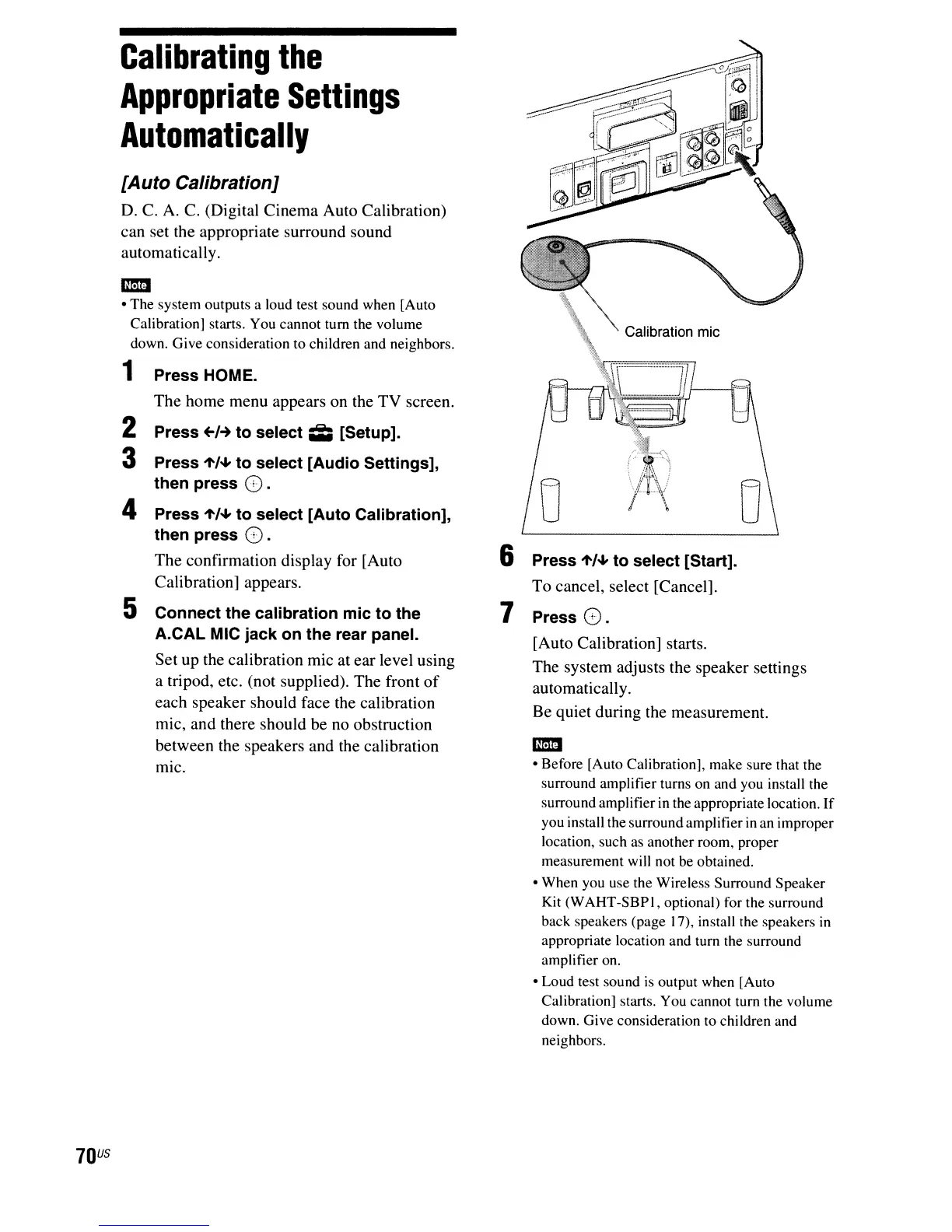
5 Connect the calibration mic to the
A.CAL MIC jack on the rear panel.
Set up the calibration mic at ear level using
a tripod, etc. (not supplied). The front
of
each speaker should face the calibration
mic, and there should be no obstruction
between the speakers and the calibration
mic.
6 Press
"'/+
to select [Start].
To cancel, select [Cancel].
7 Press
O.
[Auto Calibration] starts.
The system adjusts the speaker settings
automatically.
Be quiet during the measurement.
..
• Before [Auto Calibration], make sure that the
surround amplifier turns on and you install the
surround amplifier in the appropriate location.
If
you install the surround amplifier
in
an improper
location, such as another room, proper
measurement will not be obtained.
• When you use the Wireless Surround Speaker
Kit (WAHT-SBPI, optional)
fort
he surround
back speakers (page 17), install the speakers
in
appropriate location and turn the surround
amplifier on.
• Loud test sound
is
output when [Auto
Calibration] starts. You cannot turn the volume
down. Give consideration to children and
neighbors.



 To Next Page