Slilrf
- $eletl
lil~
TV
c~mnl:
..
1Ioj\
1f,;>!1V:U
·
Sell:!t."!lht!
Iv
!y~e
-
Seier;!
the
80
intarnel
C(;lln~:tlj)!l
· Sekct
11le
5!;:;ocby
Mo,le
·
£>ecurc
1M
AUTO
C~rihfaT1On
hOMi
S'!-t
,he
:1'3:0''''
IJeiow
(eo-lU,r~J
to
li::'~
l!1iS
lilll!
Each
of
fhe~e
item:;
n~y
be
cha!1ged
[<iter
!Jild>.lr
'Set;;p:
Press
"'/-1,
to select the cable used to
connect the unit and TV.
Check the connection
of
the unit and TV
(page 24).
• When you connect the unit and TV with
an HDMI cable, select [HDMI], go to
Step
8 and set the video output resolution
to match your TV.
• When you connect the unit and TV with a
component video cord, select
[Component Video], go to Step
8 and set
the video output resolution to match your
TV.
• When you connect the unit and TV with
the video cord, select [Video] and go to
Step
9.
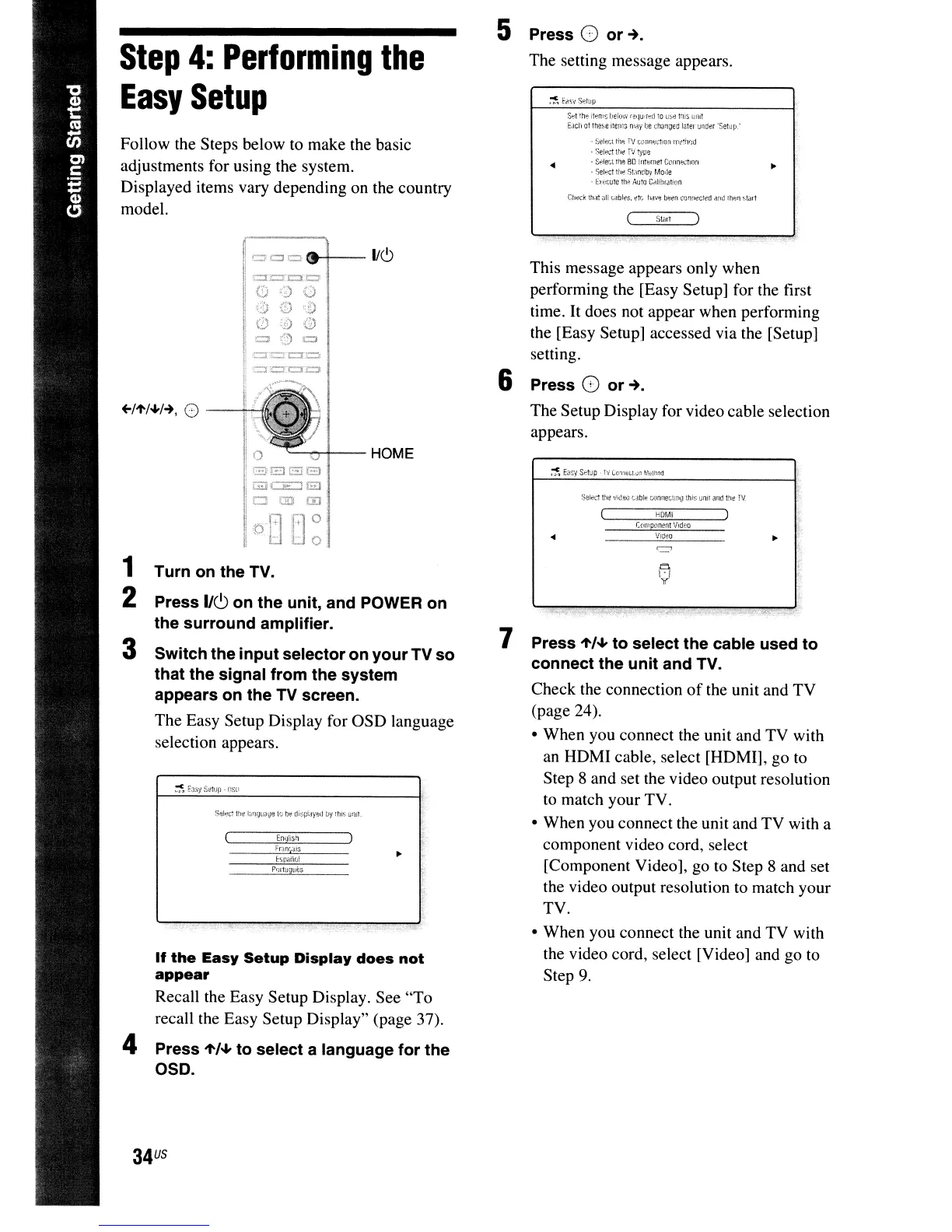
This message appears only when
performing the [Easy Setup] for the first
time. It does not appear when performing
the [Easy Setup] accessed via the [Setup]
setting.
Press G
or~.
The Setup Display for video cable selection
appears.
7
6
5 Press 0
or~.
The setting message appears.
'--~--HOME
o
(;;}EJ
GEl
G:i](
""
'S
__
-,-P""1~1~_
Turn on the TV.
Press
IIC,>
on the unit, and POWER on
the surround amplifier.
Switch the input selector on your
TV
so
that
the
signal from the system
appears on the TV screen.
The Easy Setup Display for OSD language
selection appears.
:
=0
=
(9-t--
lie!)
34
us
If
the
Easy
Setup
Display
does
not
appear
Recall the Easy Setup Display. See "To
recall the Easy Setup Display" (page 37).
4 Press
"'/-1,
to select a language for
the
OSO.
3
+-I"'/~I-+,
0
--h
Follow the Steps below to make the basic
adjustments for using the system.
Displayed items vary depending on the country
model.
1
2
Step
4:
Performing
the
Easy
Setup



 To Next Page