78
US
Settings
and
Adjustments
Using
the
Setup
Display
You can make various adjustments
of
items such
as picture and sound.
Select
Ii;
(Setup) on the home menu when you
need to change the settings
of
the system.
-
• Playback settings stored
in
the disc take priority over
the Setup Display settings and not all the functions
described may work.
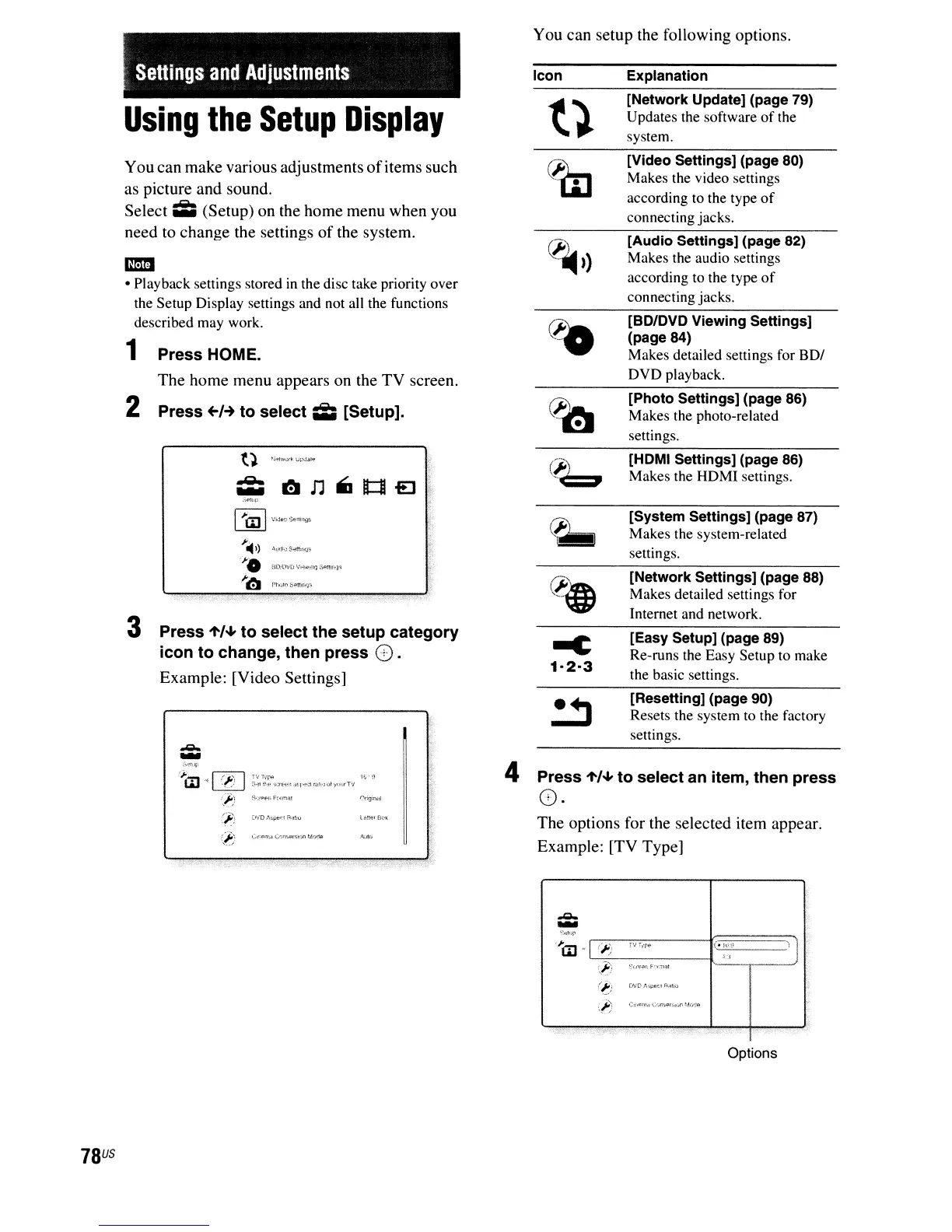
1 Press HOME.
The home menu appears on the TV screen.
2 Press
+-1-+
to select
Ii;
[Setup].
t }
N"'"o~
0,~,,"
*
~n"lt:1leJ0
:,{'ltd)
r:>=l
~Vi;j"'~"'E:li:1Y!;
Ji
14
.)
.'~jd,"",",
''''0
'''''lWl',
'I,",,,,,,
".",,,,,
Ji~
P";>o
S,n"""
3 Press
'to'.
to select the setup category
icon to change, then press
O.
Example: [Video Settings]
;i'lIJ
;0
I(I') I
'H""",;,,,,,,,,,,,,,,,,,,;;,,o,,,,,,,,
'"''
i,f)
Fj';~"'t'nF;'rrna!
(j?\
i:~;D
,'\-;'l*U !<;j!:u
You can setup the following options.
Icon Explanation
{}
[Network Update] (page 79)
Updates the software
of
the
system.
~
[Video Settings] (page 80)
Makes the video settings
according to the type
of
connecting jacks.
Cl'~
»
[Audio Settings] (page 82)
Makes the audio settings
according to the type
of
connecting jacks.
cto
[BO/OVO Viewing Settings]
(page 84)
Makes detailed settings for BDI
DVD playback.
eta
[Photo Settings] (page 86)
Makes the photo-related
settings.
Cb
[HOMI Settings] (page 86)
Makes the HDMI settings.
~
[System Settings] (page 87)
Makes the system-related
settings.
~
[Network Settings] (page 88)
Makes detailed settings for
Internet and network.
-e
[Easy Setup] (page 89)
Re-runs the Easy Setup to make
1·2-3
the basic settings.
~
[Resetting] (page 90)
Resets the system to the factory
settings.
4
Press
'to'.
to select an item, then press
O·
The options for the selected item appear.
Example: [TV Type]
(/:)
ova t.
..
p~~r
H'l1lU
:,~}
C",<:,:n<;(:';n,;(,>r;,,(,r.~,·,\I'_;(,>
Options



 To Next Page