Selecting
the
Audio
Format,
Multilingual
Tracks,
or
Channel
When the system is playing a
BD/DVD
VIDEO
recorded in multiple audio formats (PCM,
Dolby Digital, MPEG audio, or DTS), you can
change the audio format.
If
the BD/DVD
VIDEO is recorded with multilingual tracks,
you can also change the language.
With a CD, you can select the sound from the
right
or
left channel and listen to the sound
of
the
selected channel through both the right and left
speakers.
i
=c:;=O
, ='r:::::1.:=)=
000
,
0-'
~,~
<"
\
I{:)
v-
~b
;
0:;)
0
=0=
AUDIO
--f
....
::=::==
r.::::n:':::I.TI::::rv::::::::il
o 0
,8138B
GlCE:J8
CJ
8 m
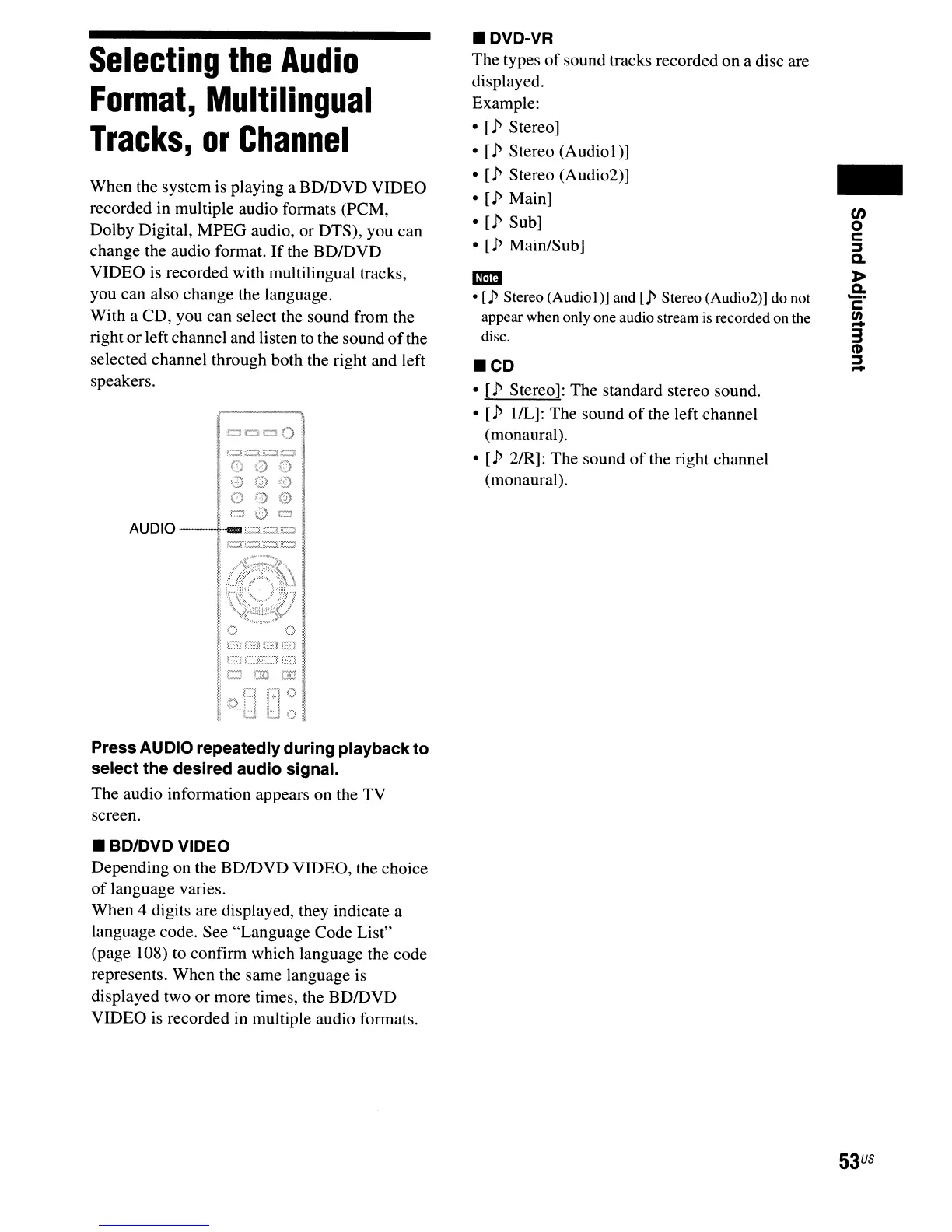
Press AUDIO repeatedly during playbackto
select the desired audio signal.
The audio information appears on the TV
screen.
• BDIDVD VIDEO
Depending on the BDIDVD VIDEO, the choice
of
language varies.
When 4 digits are displayed, they indicate a
language code. See "Language Code List"
(page 108) to confirm which language the code
represents. When the same language is
displayed two or more times, the BDIDVD
VIDEO is recorded in multiple audio formats.
• DVD-VR
The types
of
sound tracks recorded on a disc are
displayed.
Example:
•
[P
Stereo]
•
[P
Stereo (Audiol)]
•
[P
Stereo (Audi02)]
•
[P
Main]
•
[P
Sub]
•
[P
Main/Sub]
-
•
[P
Stereo (AudioI
)]
and [p Stereo (Audi02)]
do
not
appear when only one audio stream is recorded on the
disc.
.CD
•
[P
Stereo]: The standard stereo sound.
•
[p
IlL]: The sound
of
the left channel
(monaural).
• [p 2/R]: The sound
of
the right channel
(monaural).
-
en
o
c
:::s
a.
»
a.
_.
c
!.
3
(1)
:::s
-
53
US



 To Next Page