EasyManua.ls Logo

Sony BDV-E500W - Playing a CO

Sony BDV-E500W
149 pages
Print Icon
To Next Page IconTo Next Page
To Previous Page IconTo Previous Page
Loading...
·'M
-
MUTING
To cancel, press
it
again or
VOLUME
+ to adjust the
sound volume.
~
twice
in
a second.
When you press
~
once,
you can go
to
the beginning
of
the current track.
lIor~
II
Press
Turn off the sound
temporarily
Go back to the
preceding track
Resume play after pause
00
Music CO
Go to the next track
Pause
Stop
Other
operations
To
Press
G.
The music list appears.
4
Press
't/""
to
select
a
track,
then
press
~orG·
The system plays the selected track.
3
2
Press
H~
to
select
n
[Music].
Start playback from the
point where you pressed
••
OPTIONS
'-+---
....
/~
a.-+--TIME
n MliskCf) 1
I~
Press
FUNCTION repeatedly
until
"BOI
DVO"
appears
in
the
front
panel
display.
Insert
a CO.
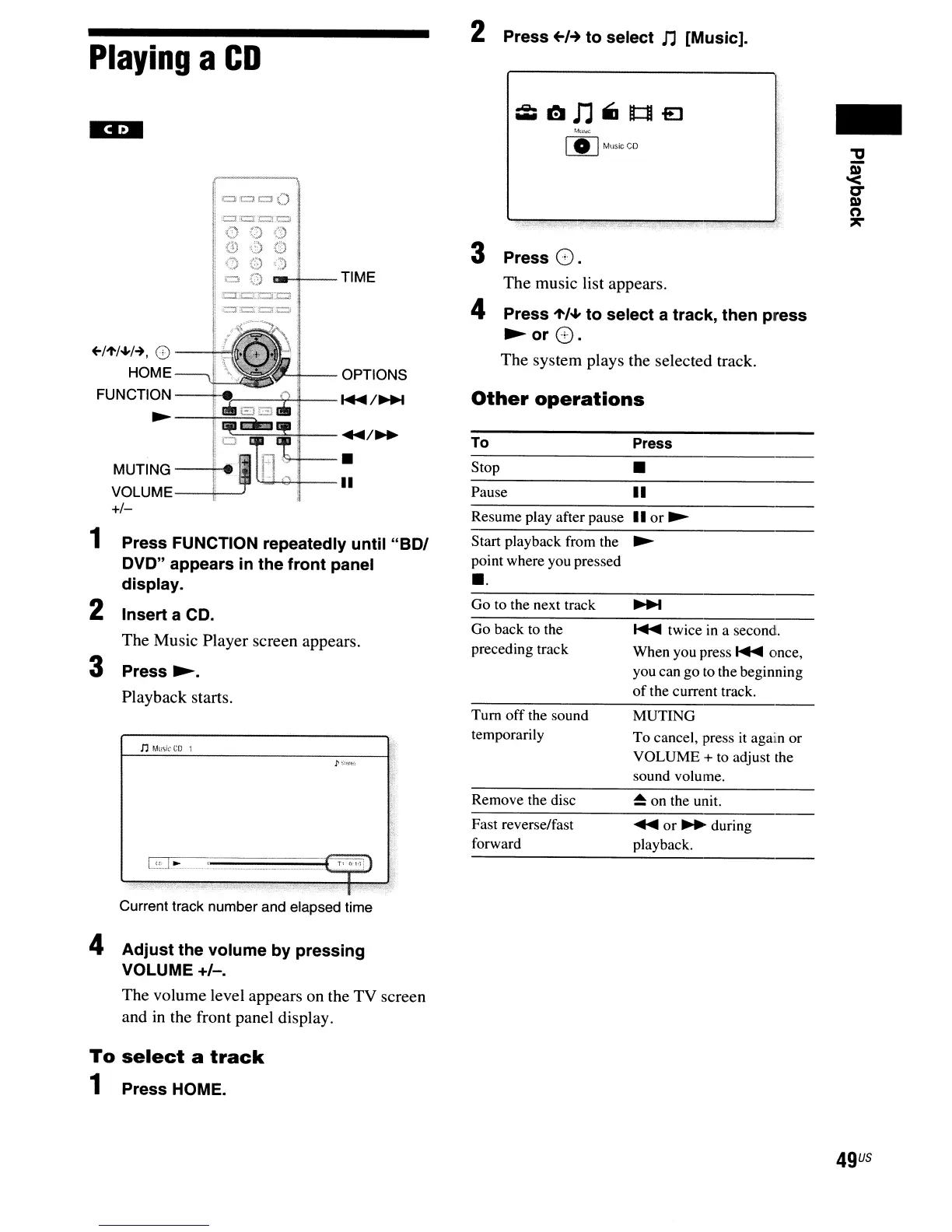
The Music Player screen appears.
Press
~.
Playback starts.
~~~l--
...
/~
(::MI---
MUTING--+"
~...r.,;;..+--II
VOLUME--+----'
+/-
+-/"'/~/-+.
0
HOME
FUNCTION
~
2
3
1
Playing
a
CD
Remove the disc
~
on the unit.
-
Fast reverse/fast
forward
~or~during
playback.
l...:!:
L~.
.
~':)j)
:]
:":':
.,
Current track number and elapsed time
4
Adjust
the
volume
by
pressing
VOLUME +1-.
The volume level appears on the TV screen
and
in
the front panel display.
To
select
a
track
1 Press HOME.
49
US

Table of Contents

Other manuals for Sony BDV-E500W

Related product manuals