54
US
Enjoying
Multiplex
Broadcast
Sound
(DUAL MONOj
You can enjoy multiplex broadcast sound when
the system receives or plays a Dolby Digital
multiplex broadcast signal.
1m
• To receive the Dolby Digital signal, you need to
connect a TV or other component to the unit with an
optical or coaxial digital cord (pages 25, 26) and set
the digital output mode
of
the TV or other component
to
Dolby Digital.
::::;0=0
OE::::xr:::n:::::J
()
-0 \:,
000
()
00
000
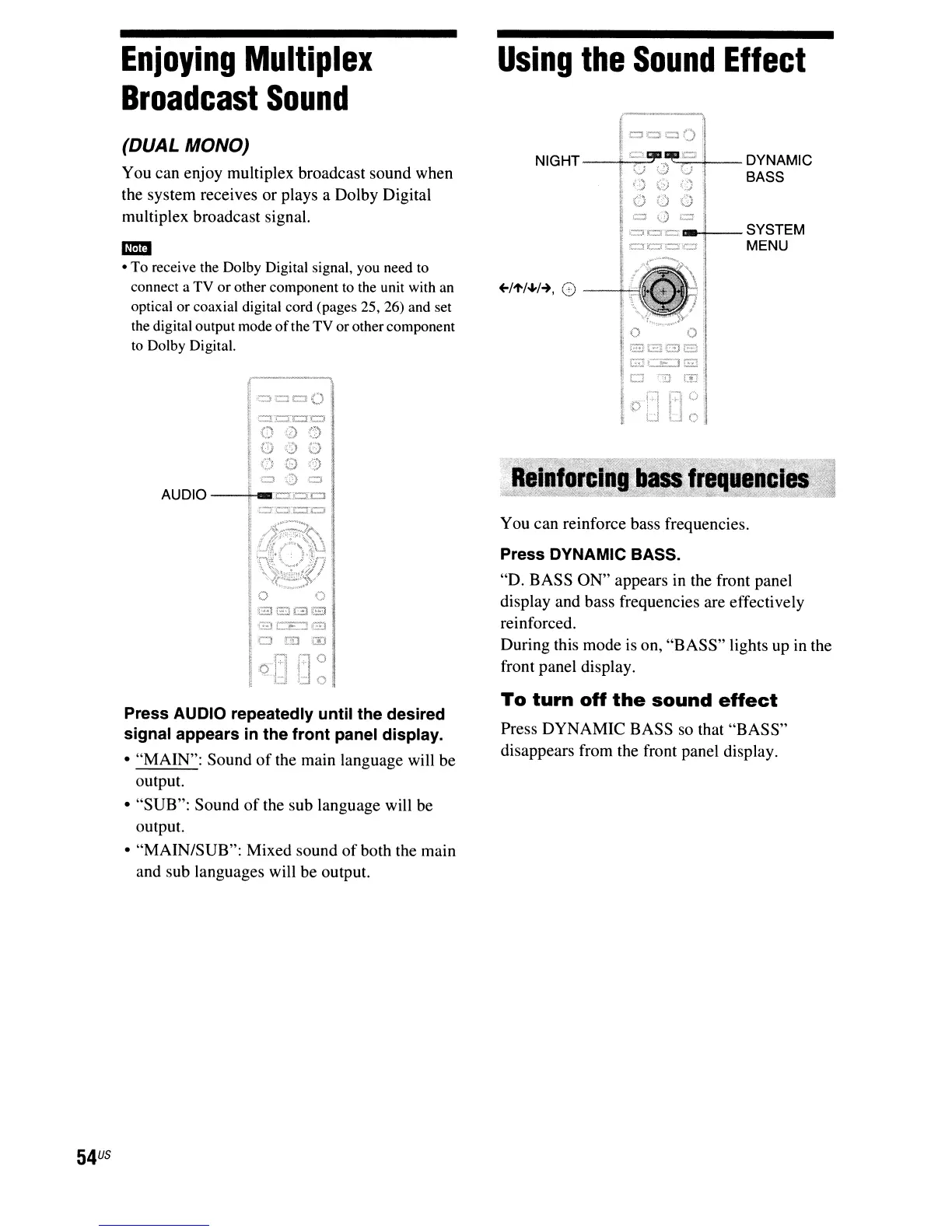
Press AUDIO repeatedly until the desired
signal appears
in
the front panel display.
• "MAIN": Sound
of
the main language will be
output.
• "SUB": Sound
of
the sub language will be
output.
• "MAIN/SUB": Mixed sound
of
both the main
and sub languages will be output.
Using
the
Sound
Effect
~/1'/~/-+,
8
--++"
'0
oil
11
E}[2]EJS
I
[2C",]@
je
"TI
~
ID
0
You can reinforce bass frequencies.
Press DYNAMIC BASS.
"D. BASS
ON"
appears
in
the front panel
display and bass frequencies are effectively
reinforced.
During this mode is on, "BASS" lights up in the
front panel display.
To
turn
off
the
sound
effect
Press DYNAMIC BASS so that "BASS"
disappears from the front panel display.



 To Next Page