24
US
..,.
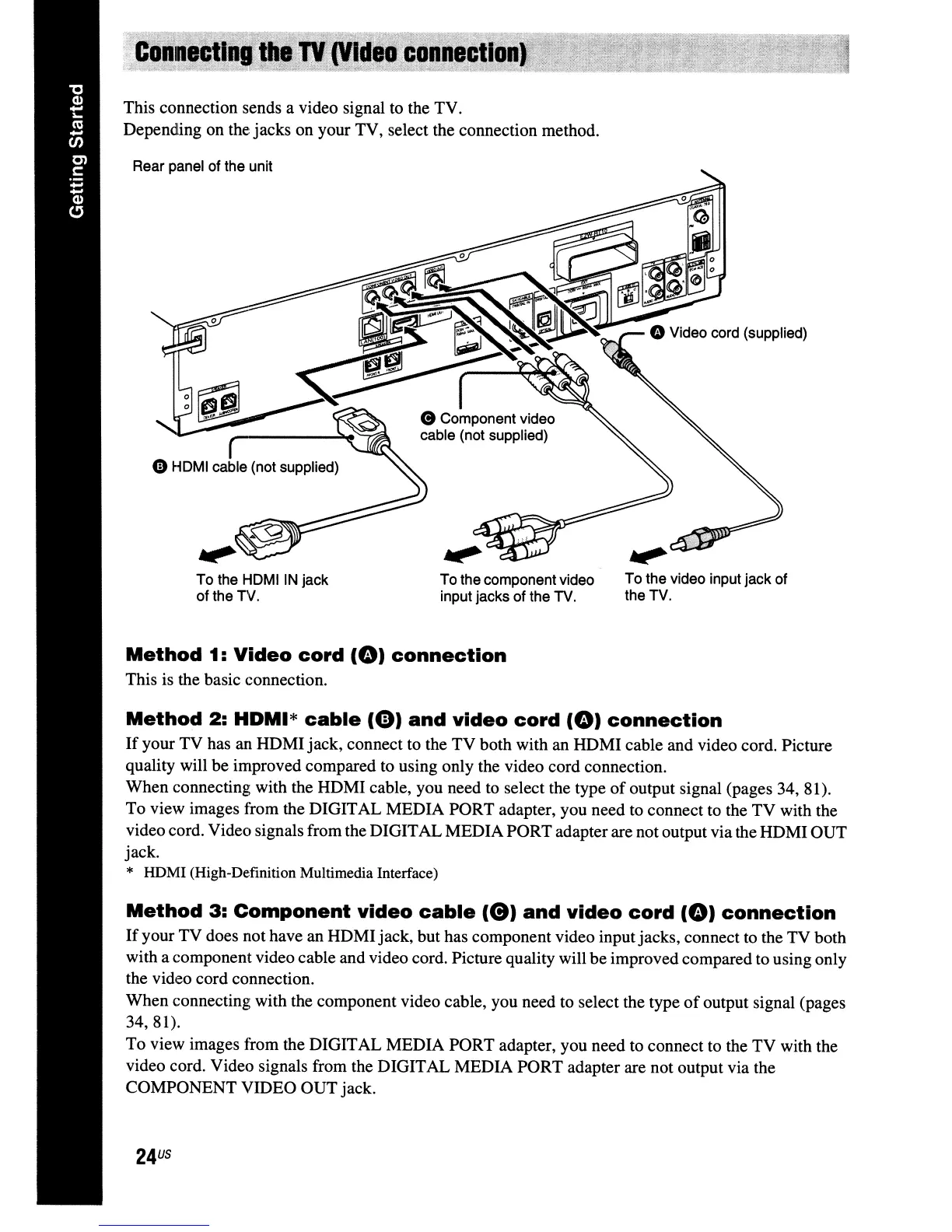
To the video input jack of
the TV.
To the component video
input jacks of the TV.
To the
HDMIIN
jack
of the TV.
Rear panel of the unit
Method
3:
Component
video
cable
(e)
and
video
cord
(e)
connection
If
your TV does not have an HDMIjack, but has component video inputjacks, connect to the TV both
with a component video cable and video cord. Picture quality will be improved compared to using only
the video cord connection.
When connecting with the component video cable, you need to select the type
of
output signal (pages
34,81).
To
view images from the DIGITAL MEDIA PORT adapter, you need to connect to the TV with the
video cord. Video signals from the DIGITAL MEDIA PORT adapter are not output via the
COMPONENT VIDEO OUT jack.
Method
2:
HDMI*
cable
(0)
and
video
cord
(e)
connection
If
your TV has an HDMI jack, connect to the TV both with an HDMI cable and video cord. Picture
quality will be improved compared to using only the video cord connection.
When connecting with the HDMI cable, you need to select the type
of
output signal (pages 34, 81).
To view images from the DIGITAL MEDIA PORT adapter, you need to connect to the TV with the
video cord. Video signals from the DIGITALMEDIAPORTadapter are not output via the HDMI OUT
jack.
* HDMI (High-Definition Multimedia Interface)
Method
1:
Video
cord
(e)
connection
This is the basic connection.
This connection sends a video signal to the TV.
Depending on the jacks on your TV, select the connection method.



 To Next Page