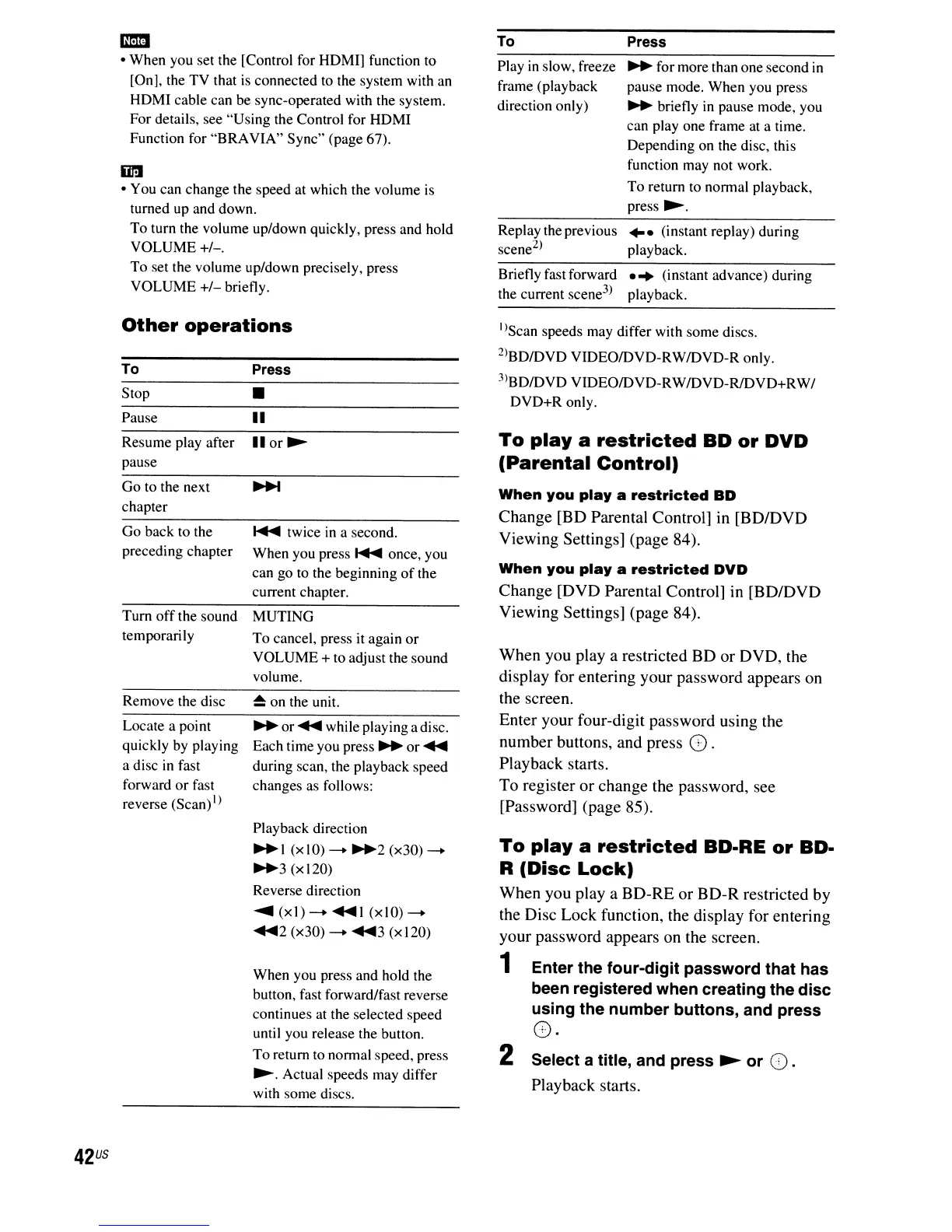
Briefly fast forward
...
(instant advance) during
the current scene
3
)
playback.
-
• When you set the [Control for HDMI] function to
[On], the TV that
is
connected to the system with an
HDMI cable can be sync-operated with the system.
For details, see "Using the Control for HDMI
Function for "BRAVIA" Sync" (page 67).
iiI'!I
• You can change the speed at which the volume
is
turned up and down.
To turn the volume up/down quickly, press and hold
VOLUME+/-.
To
set the volume up/down precisely, press
VOLUME
+/-
briefly.
To
Play
in
slow, freeze
frame (playback
direction only)
Replay the previous
scene
2
)
Press
..
for more than one second
in
pause mode. When you press
..
briefly
in
pause mode, you
can play one frame at a time.
Depending on the disc, this
function may not work.
To
return to normal playback,
press
~.
...
(instant replay) during
playback.
Other
operations
Tum
off
the sound MUTING
temporarily
To
cancel, press it again
or
VOLUME + to adjust the sound
volume.
42
US
To
Stop
Pause
Resume play after
pause
Go to the next
chapter
Go back to the
preceding chapter
Remove the disc
Locate a point
quickly by playing
a disc
in
fast
forward
or
fast
reverse (Scan)
I)
Press
•
II
lIor~
.....
twice
in
a second.
When you press
.....
once, you
can go to the beginning
of
the
current chapter.
~
on the unit.
..
or
.....
while playing a disc.
Each time you
press"
or
.....
during scan, the playback speed
changes as follows:
Playback direction
"I
(xIO)
--
..
2
(x30)--
..
3 (xI20)
Reverse direction
.....
(xl)
--
1
(xIO)--
.....
2 (x30)
--
3 (xI20)
When you press and hold the
button, fast forward/fast reverse
continues at the selected speed
until you release the button.
To return to normal speed, press
~.
Actual speeds may differ
with some discs.
I)Scan speeds may differ with some discs.
2)BDIDVD VIDEOIDVD-RWIDVD-R only.
3)BD/DVD VIDEOIDVD-RWIDVD-R/DVD+RW/
DVD+R only.
To
playa
restricted
BD
or
DVD
(Parental
Control)
When
you
playa
restricted
BD
Change [BD Parental Control]
in
[BD/DVD
Viewing Settings] (page 84).
When
you
playa
restricted
DVD
Change [DVD Parental Control] in [BD/DVD
Viewing Settings] (page 84).
When you
playa
restricted BD or DVD, the
display for entering your password appears
on
the screen.
Enter your four-digit password using the
number buttons, and press O.
Playback starts.
To register or change the password, see
[Password] (page 85).
To
playa
restricted
BD-RE
or
BD-
R
(Disc
Lock)
When you
playa
BD-RE or BD-R restricted by
the Disc Lock function, the display for entering
your password appears on the screen.
1 Enter the
four-digit
password
that has
been registered when creating the
disc
using
the
number
buttons,
and press
C).
2 Select a title, and press
~
or
().
Playback starts.



 To Next Page