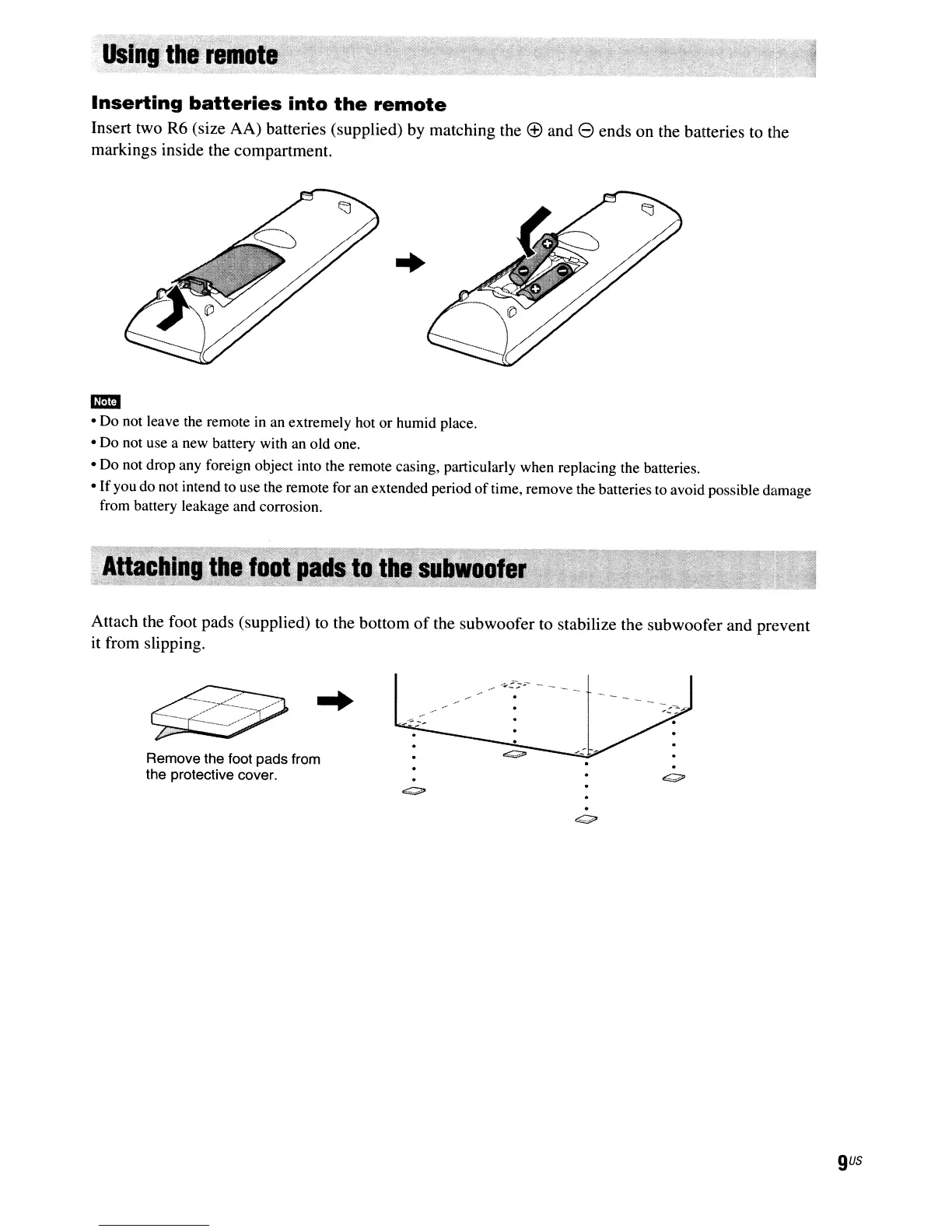
Inserting
batteries
into
the
remote
Insert two R6 (size AA) batteries (supplied) by matching the
(±)
and e ends on the batteries to the
markings inside the compartment.
..
-
• Do not leave the remote
in
an
extremely hot or humid place.
• Do not use a new battery with an old one.
• Do not drop any foreign object into the remote casing, particularly when replacing the batteries.
•
If
you do not intend to use the remote for an extended period
of
time, remove the batteries to avoid possible damage
from battery leakage and corrosion.
Attach the foot pads (supplied) to the bottom
of
the subwoofer to stabilize the subwoofer and prevent
it from slipping.
Remove the foot pads from
the protective cover.
gus



 To Next Page