Step 2 Inserting a cassette
(1) Install the power source.
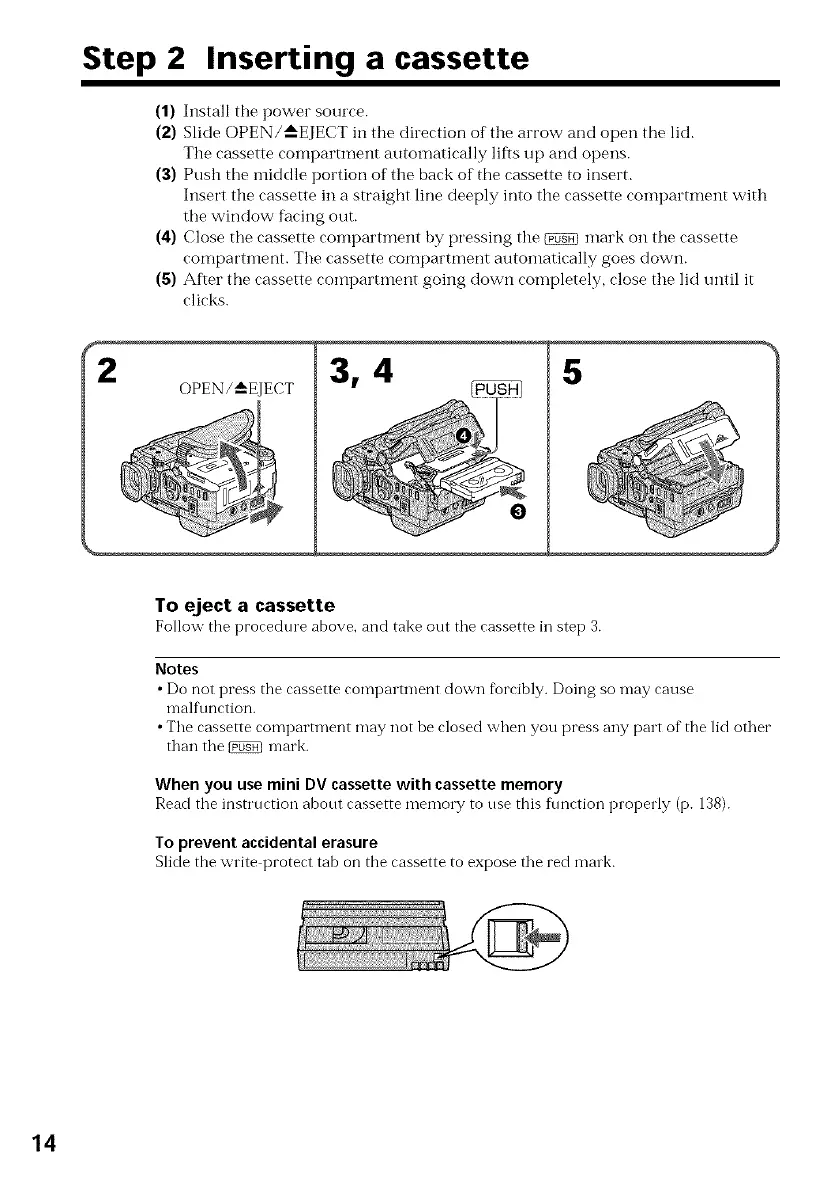
(2) Slide OPEN/'_--EJECT in tile direction of the arrow and open the lid.
Tile cassette compartment automatically lifts lip and opens.
(3) Push the iniddle portion of the back of the cassette to insert.
Insert tile cassette in a straight line deeply into the cassette compartment with
the window fhcing out.
(4) Close the cassette compartment by pressing the _ mark on the cassette
compartment. The cassette compartment autoinatically goes down.
(5) After the cassette COlnpartment going down completely, close the lid until it
clicks.
OPEN/_EJECT
5
To eject a cassette
Follow the procedure above, and take out the cassette in step 3.
Notes
• Do not press the cassette compartment down forcibly. Doing so may cause
malfunction.
• The cassette compartment may not be closed when you press any part of the lid other
than the _ mark.
When you use mini DV cassette with cassette memory
Read the instruction about cassette memory to use this f_lnction properly (p. 138).
To prevent accidental erasure
Slide the write protect tab on the cassette to expose the red mink.
14















 To Next Page