Searching for a photo
- Photo search/Photo scan
You can search for a still image you have recorded on a mini DV tape (photo search).
You can also search for still images one after another and display each image %1"
5 seconds automatically regardless of cassette memory (photo scan). Use the Remote
Commander fur these operations.
Use this flmction to check or edit still images.
You can use this flmction only when playing back a tape with cassette memory.
(1) Set the POWER switch to VCR.
(:_) Set CM SEARCH in _ to ON in the menu settings (p. 84). The default setting
is ON.
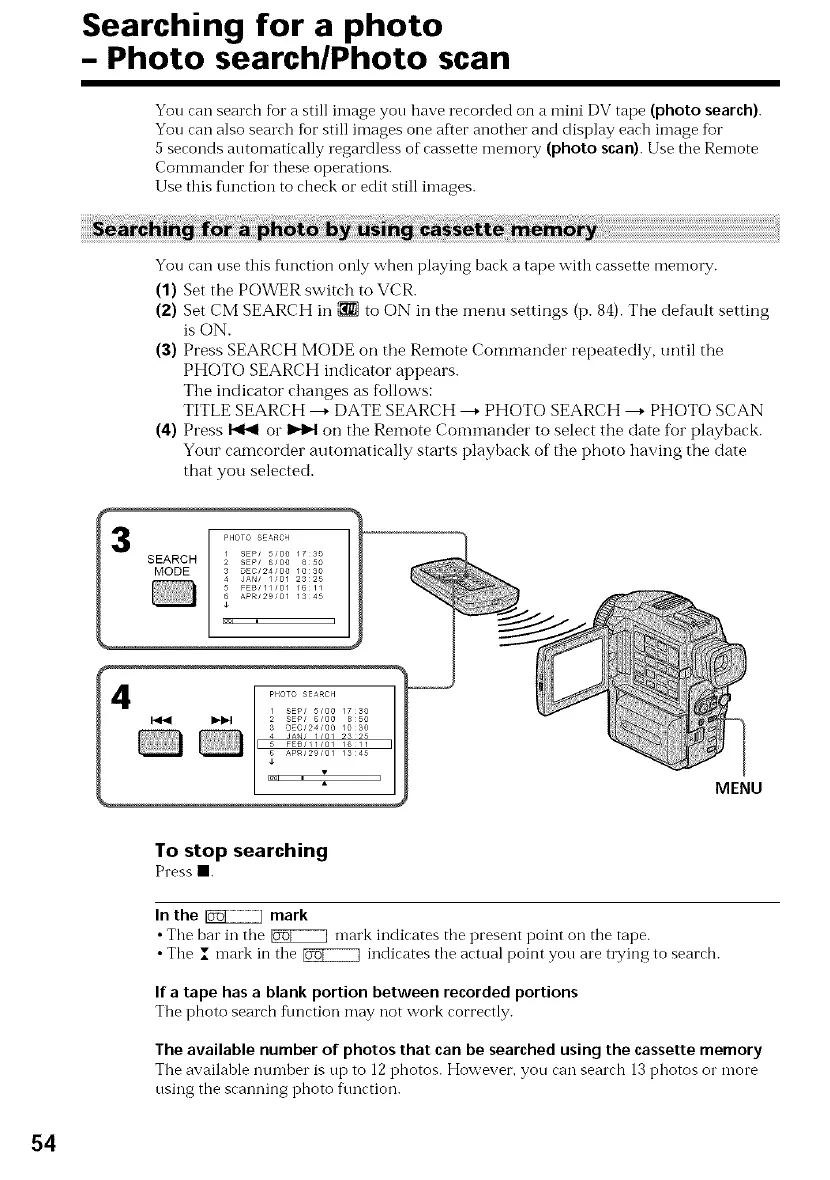
(3) Press SEARCH MODE on the Remote Commander repeatedly, until the
PHOTO SEARCH indicator appears.
The indicator changes as follows:
TITLE SEARCH ---+DATE SEARCH ---+PHOTO SEARCH ---+PHOTO SCAN
(4) Press _ or _ on the Remote Commander to select the date for playback.
Your camcorder automatically starts playback of the photo having the date
that you selected.
MENU
To stop searching
Pressm.
In the _ mark
• Tile bar in tile _ mark indicates tile present point on the tape.
• Tile I n-lark in tile _ indicates tile actual point you are trying to searcb.
If a tape has a blank portion between recorded portions
Tbe photo searcb fllnction may not vv'ork correctly.
The available number of photos that can be searched using the cassette memory
Tile available numher is up to 12 pbotos. However, you can searcb 13 photos o1" more
using the scanning photo f\mction.
54















 To Next Page