Searching for a photo - Photo search/Photo scan
(1) Set the POWER switch to VCR.
(2) Set CM SEARCH in _ to OFF in the menu settings (p. 84).
(3) Press SEARCH MODE on the Remote Commander repeatedly, until the
PHOTO SEARCH indicator appears.
The indicator changes as follows:
DATE SEARCH _ PHOTO SEARCH ---+PHOTO SCAN
(4) Press _ or _ on tile Remote Commander to select the photo for playback.
Each time you press _ or I_.1, your camcorder searches for the previous or
next photo.
Your camcorder autoinatically starts playback of the photo.
To stop searching
Press m.
ID.
g
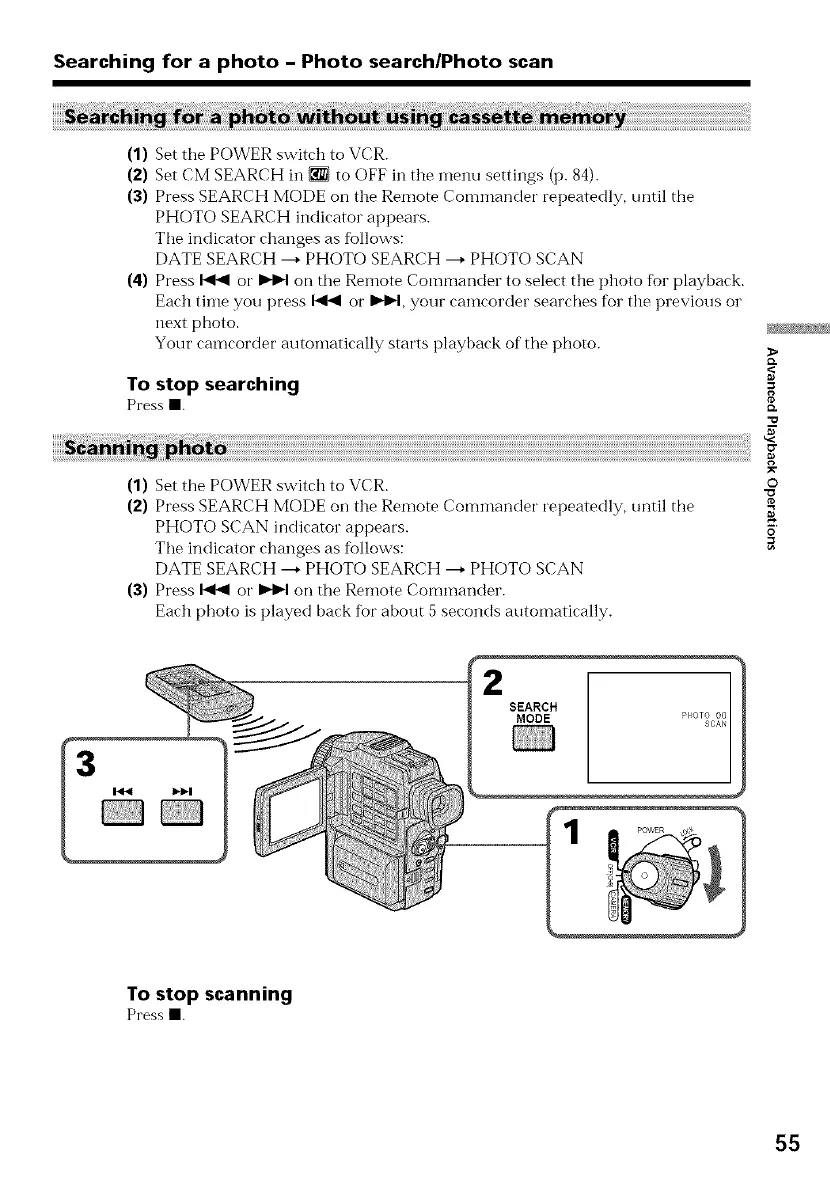
(1) Set the POWER switch to VCR. o
(2) Press SEARCH MODE on the Remote Commander repeatedly, until the
PHOTO SCAN indicator appears, o
Tile indicator changes as follows: _=
DATE SEARCH ---+PHOTO SEARCH ---+PHOTO SCAN
(3) Press _ or _H on the Remote Commander.
Each photo is played back for about 5 seconds automatically.
1
SEARCH
MODE
To stop scanning
Pressm.
55















 To Next Page