Quickly locating a scene using the zero
set memory function
Your camcorder goes forward o1"backward to automatically stop at a desired scene
having a tape counter value of "0:00:00". Use the Remote Commander f}grthis
operation.
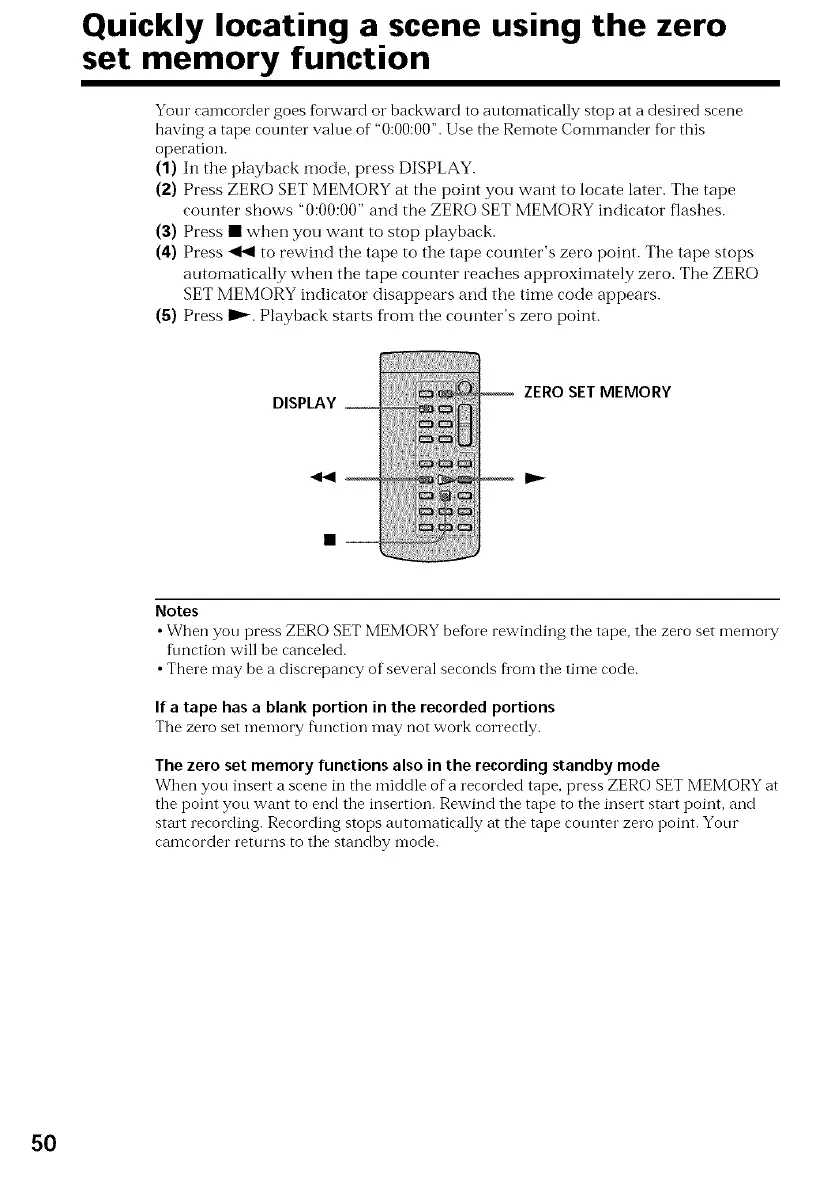
(1) In the playback mode, press DISPLAY.
(2) Press ZERO SET MEMORY at the point you want to locate later. The tape
counter shows "0:00:00" and the ZERO SET MEMORY indicator flashes.
(3) Press • when you want to stop playback.
(4) Press _ to rewind the tape to the tape counter's zero point. The tape stops
automatically when the tape counter reaches approxilnately zero. The ZERO
SET MEMORY indicator disappears and the time code appears.
(5) Press I_. Playback starts from the counter's zero point.
DISPLAY __
ZERO SET MEMORY
mlP._
Notes
• When you press ZERO SET MEMORY before rewinding the tape, the zero set memory
function will be canceled.
• There may be a discrepancy of several seconds flora the time code.
Ifa tape has a blank portion in the recorded portions
The zero set nlenlory fku'<tioT'_may not work correctly.
The zero set memory functions also in the recording standby mode
When you insert a scene in the middle of a recorded tape, press ZERO SET MEMORY at
the point you want to end the insertion. Rewind the tape to the insert start point, and
strut recording. Recording stops automatically at the tape cotmter zero point. Your
camcorder returns to the standby mode.
50















 To Next Page