Playing back a tape
26
To operate video control buttons, set tile POWER switch to VCR.
To view a still picture (playback pause)
Press n during playbark. To resume normal playtoark, press _ o1"n.
To advance the tape
Press _ in the stop mode. To resume norn-lal playbark, press I_.
To rewind the tape
Press .<t<Iin the stop mode. To resume norn-lal playbark, press I_.
To change the playback direction
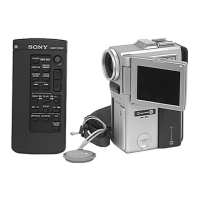
Press << on tile ken-lore Conlmander during playback to reverse tile playbark dirertion.
To resume normal playback, press I_.
To locate a scene monitoring the picture (picture search)
Keep pressing .<t<1o1"_ during playbark. To resume normal playbark, release the
button.
To monitor the high-speed picture while advancing or
rewinding the tape (skip scan)
Keep pressing .<t<1while rewinding or"_ while advanring tile tape. To resume
rewinding o1"advancing, release tile button.
To view the picture at slow speed (slow playback)
Press I=- on tile Ren-lote Colnlllander during playbark. For slow playbark ill the reverse
direction, press -< , then press I"_on the Remote Commander. To resume normal
playback, press I_-.
To view the picture at double speed
Press×2on tile RemoteCommander during playbark. For double speedplaybark in tile
reverse dirertion, press <<, then press×2 on tile RemoteCommander. To resume
normal playbark, press I_-.
To view the picture frame-by-frame
Press II1_ on tile Remote Commander in the playbark pause mode. For fl an-le by fl'ame
playbark in the reverse dirertion, press _111.To resume normal playbark, press I_-.
To search the last scene recorded (END SEARCH)
Press END SEARCH in tile stop n-lode.Tile last 5seronds of the rerorded portion plays
back and stops.
In the various playback modes
• Sound is muted.
• Tile previous pirture may remain as a n-losair image during playbark.
When the playback pause mode lasts for 5 minutes
Your ran-lrorder automatirally enters tile stop mode. To resume playbark, press I_.
Slow playback
The slow playbark ran be performed smoothly on your ranKorder: however, this
flmction does not work for an output signal through tile DV IN/OUT jack.
When you play back a tape in reverse
Horizontal noise may appear at the center, o1"tile top and bottom of the srreen. This is
not a malfunction.



 To Next Page