Playing back a tape with digital effects
During playback, you can process a scene using the digital effect functions: STILL,
FLASH, LUMI. and TRAIL.
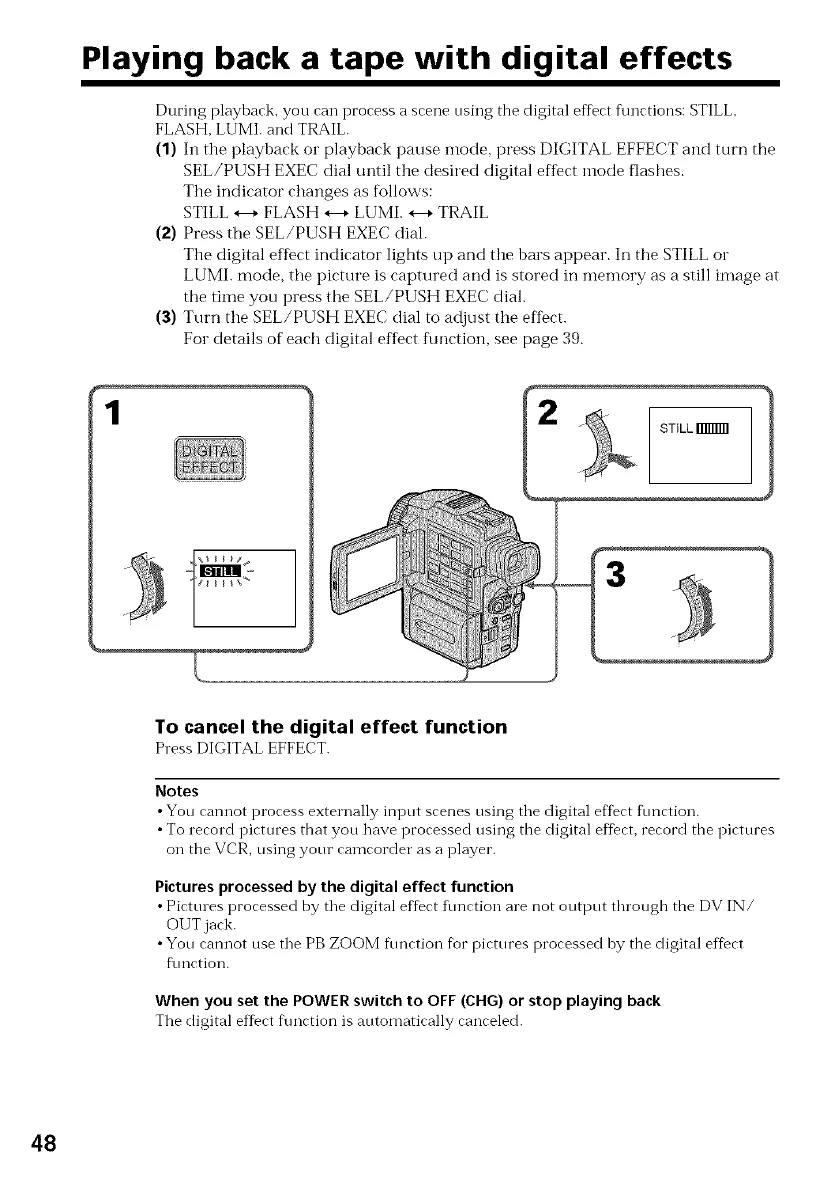
(1) In the playback or playback pause mode, press DIGITAL EFFECT and turn the
SEL/PUSH EXEC dial until tile desired digital effect mode flashes.
The indicator changes as follows:
STILL *---*FLASH *---*LUMI. *---*TRAIL
(2) Press the SEL/PUSH EXEC dial.
The digital effect indicator lights up and tile bars appear. Ill tile STILL or
LUMI. mode, the picture is captured and is stored in memory as a still image at
tile time you press tile SEL/PUSH EXEC dial.
(3) Turn tile SEL/PUSH EXEC dial to adjust tile effect.
For details of each digital effect fuirlction, see page 39.
1
To cancel the digital effect function
Press DIGITAL EFFECT.
Notes
•You cannot process externally input scenes using the digital eftbct f_mction.
•To record pictures that you have processed using the digital effect, record the pictures
on the VCR, using your camcorder as a player.
Picturesprocessed by the digital effect function
• Picttues processed by the digital ef_ec'tfunction are not output through the DV IN/
OUT jack.
•You cannot use the PB ZOOM function fbr pictures processed by the digital effect
f\mction.
When you set the POWER switch to OFF (CHG) or stop playing back
The digital effect f\mction is automatically canceled.
48















 To Next Page