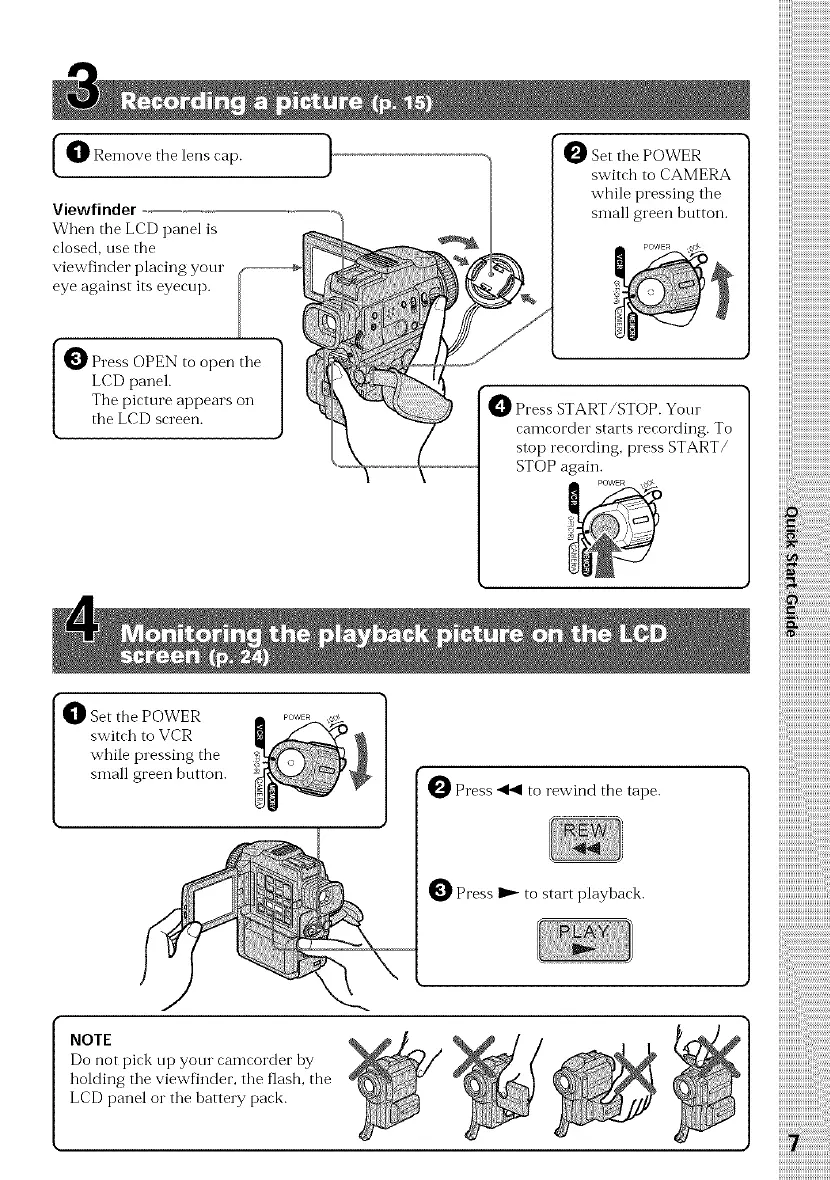
_1_Remove the lens cap.
Viewfindel
When the LCD panel is
closed, use the
viewfinder placing your
eye against its eyecup.
}
Set tile POWER
switch to CAMERA
while pressing tile
small green hutton.
Press OPEN to open tile
LCD panel.
The picture appears on
the LCD screen.
Press START/STOP. Your
camcorder starts recording. To
stop recording, press START/
STOP again.
POWER ,_
_1_ et the POWER
switch to VCR
while pressing the
small green button.
OPress _ to rewind the tape.
O Press _ to start playback.
NOTE
Do not pick up your camcorder by
holding the viewfinder, the flash, the
LCD panel or the batte W pack.















 To Next Page