Chapter 5 Editing Using the Built-in Hard Disk 5-1
Chapter 5 Editing Using the Built-in Hard Disk
5-1 Overview
Chapter 5 Editing Using the Built-in Hard Disk
For editing using the built-in hard disk, you can carry
out editing between the built-in VTR or an external
VTR and the hard disk, or editing on the hard disk
alone.
In either case, editing is carried out with PROGRAM
specified as the recorder device.
In this system, “PROGRAM” refers to editing data
which determines the sequence in which video and
audio data recorded on the hard disk is to be played
back. On the hard disk, the video and audio data itself
is managed in a notional device called “MASTER”. If
MASTER is specified as the recorder device, it is
possible to record video and audio data, but not to
carry out editing.
Note
After carrying out operations on this unit using the
hard disk, before powering the unit off be sure to press
the EJECT button to close the files on the hard disk.
Powering off the unit with files left open may result in
a loss of system data from the hard disk.
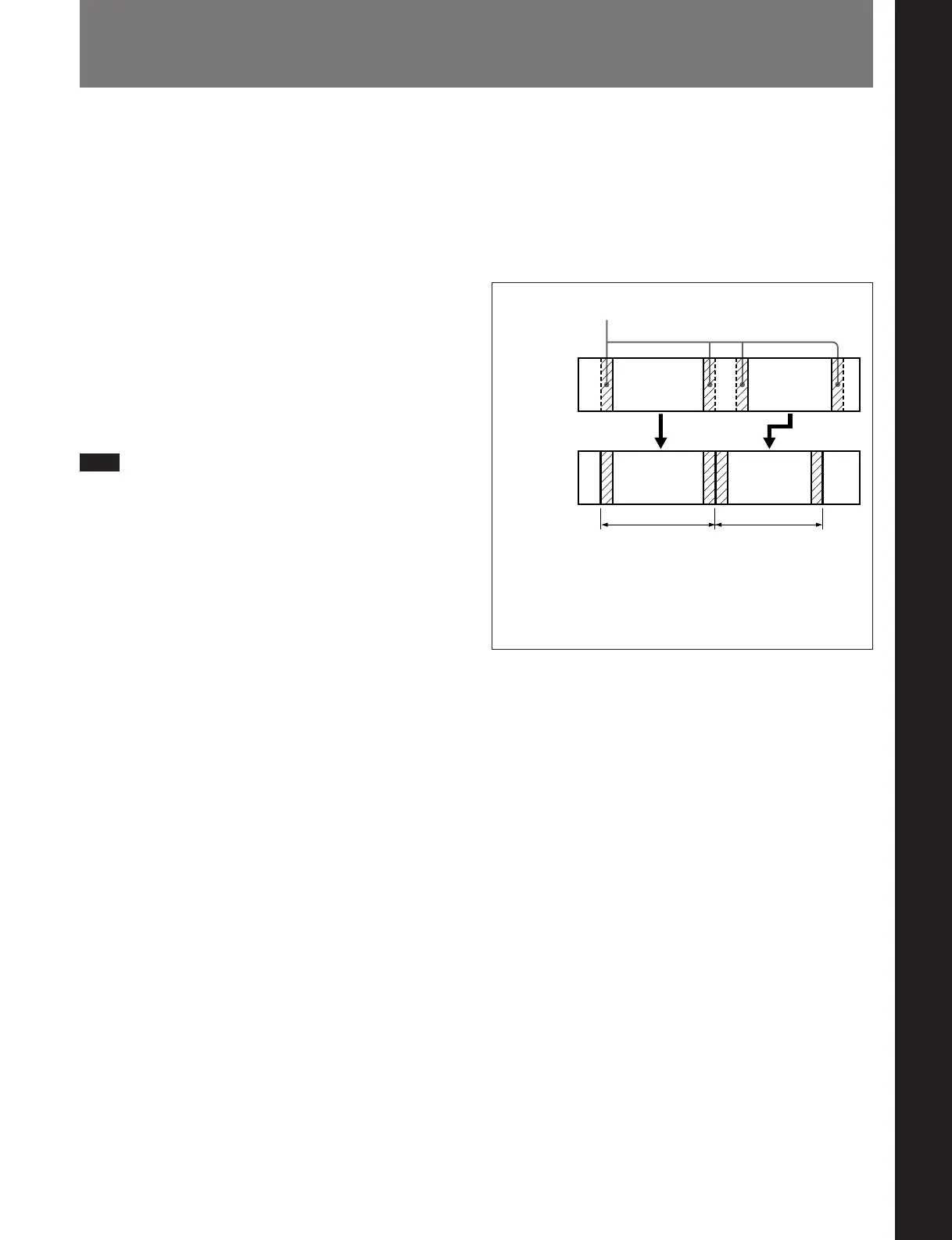
Background information
A section of source material selected by an editing
operation carried out with PROGRAM specified as the
recorder is stored on MASTER as what is termed an
“event”. A margin before and after the edit IN and
OUT points is added to the event, and the resulting
data is then managed on MASTER as a file.
The margin is used when modifying edit points, for
example, but in general it is not necessary to be aware
of the margin during editing operations.
Data on
player tape
File on hard
disk (DISK
MASTER)
Margin
File 1
Event 2Event 1
Event 1 Event 2
File 2
Margin length
Before Version 2.00: Fixed at approximately 3 seconds.
Version 2.00 or later: Varies according to the preroll time
setting of basic menu item 001. Approximately 3 seconds
when the preroll time is 5 seconds (factory default).



 To Next Page