Chapter 7 Menu System
7-4 Chapter 7 Menu System
7-2 Basic Menu
7-2-2 Basic Menu Operations
This section describes the basic menu displays and
how to change the settings.
For information about how to use item 013, see the section
“Switching between 525/625 line systems (menu item 013)”
(page 7-6), and for information about how to use items B01
to B14, see the section “Menu bank operations (menu items
B01 to B14” (page 7-8).
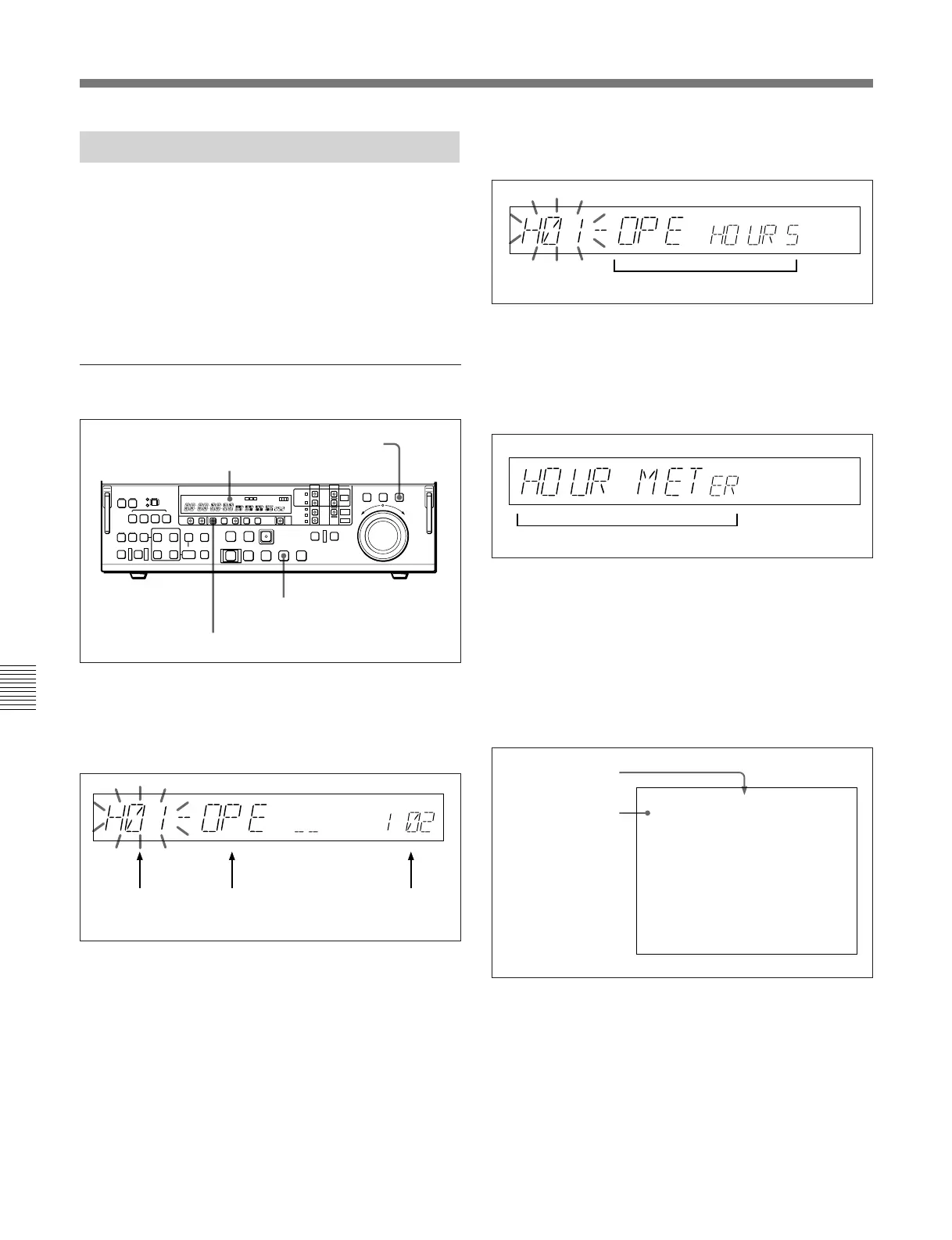
Displaying the menus
Press the MENU button, turning it on.
The F FWD button and VAR button light, and the
setting of the currently selected menu item appears in
the time data display.
To display the full item name
Hold down the F FWD button.
To display the item group name
Items in the menu are arranged in groups, by the 100’s
digit of the item number. To display the name of the
group to which the currently selected item belongs,
hold down the VAR button.
Output from COMPOSITE VIDEO OUTPUT 3
(SUPER) connector
If the CHARACTER switch on the subsidiary control
panel is set to ON, then when you display a menu item
on the time data display, a full-screen version also
appears on a monitor connected to the COMPOSITE
VIDEO OUTPUT 3 (SUPER) connector as shown in
the following figure.
MENU button
F FWD button
Item number
(flashing)
Item name
(first three characters)
Setting
Time data display
VAR button
Item name (all characters)
Item group name
Cursor indicating the
currently selected
item
Group name for the
currently selected
item
*HO1:OPE HOURS - 102
HO2:DRUM HOURS - 52
HOURS METER
-------



 To Next Page