Chapter 6 Editing Without Using the Built-in Hard Disk (Two-VTR Editing)
6-2 Chapter 6 Editing Without Using the Built-in Hard Disk (Two-VTR Editing)
6-1 Automatic Editing
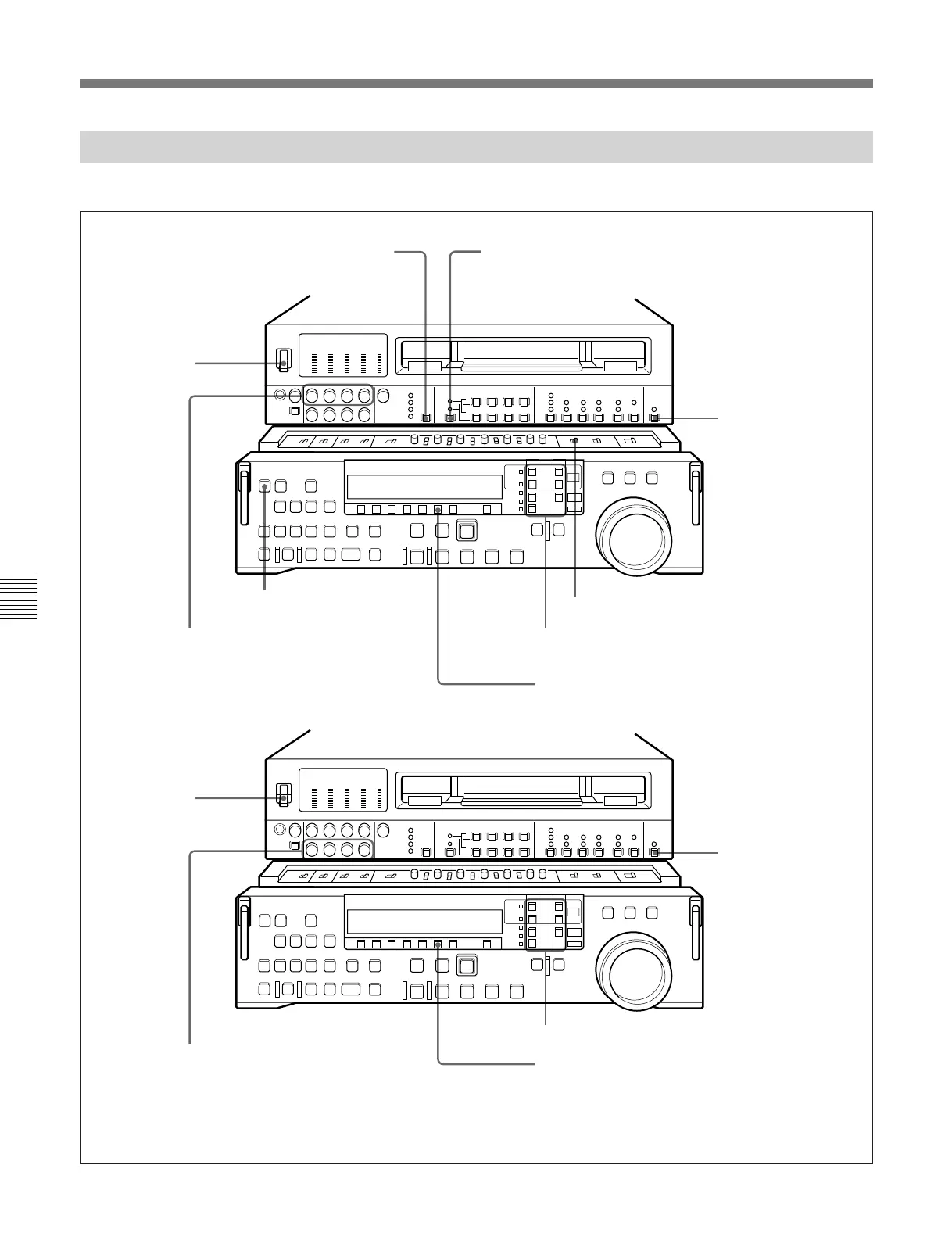
6-1-2 Switch Settings
Before beginning editing, set the switches as follows.
VIDEO INPUT SELECT switch (see
page 2-3): select the input video signal
Audio selection function selector switch (see page 2-3):
select the input audio signal
REMOTE/LOCAL
switch (see page 2-7):
9P indicator off
REC INHIBIT switch (see page 2-21): OFF
ASSEMBLE/ALL button (see page 2-8):
lit
Device specification buttons (see page 2-12):
• RECORDER: TAPE
• PLAYER: EXT
CTL/TC/UB button (see page 2-9): TC
or CTL
Player
(DNW-A100/A100P)
REMOTE/
LOCAL switch
(see page 2-7):
9P indicator lit
PB controls (see page 2-5):
adjust the audio playback
levels
CTL/TC/UB button (see page 2-9): TC or CTL
POWER switch:
ON
POWER switch:
ON
REC controls (see page 2-3):
adjust the audio recording levels
(see page 4-2)
Recorder
Device specification buttons (see page 2-12):
RECORDER n TAPE



 To Next Page