11
GB
Preparations
Preparations
This section explains how to prepare
your printer. Follow the procedures in
this section to get the printer ready for
printing.
1Checking the
contents of the
package (this page)
x
2 Prepare the printing
pack (not supplied)
(page 12)
x
3 Loading the print
cartridge (page 13)
x
4 Inserting the print
paper (page 15)
After you finish preparations, read the
explanations for each operation mode
(pages 6 to 7) to print an image.
1 Checking the
contents of the
package
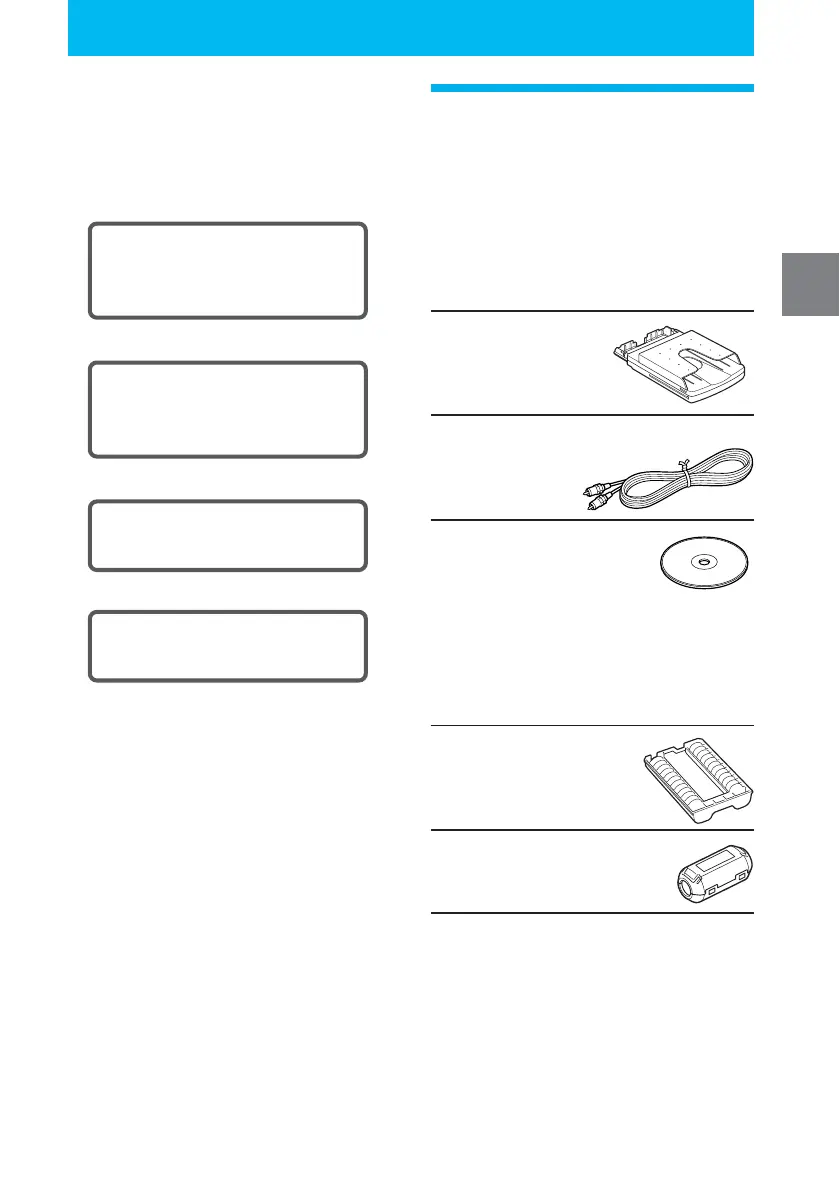
Make sure that the following accessories
are supplied with your printer.
Paper tray (1)
Video connecting cable (1)
CD-ROM (1)
– Sony DPP-EX50 Printer Driver
Software for Windows® 98SE/
Me/2000 Professional/XP Home
Edition/XP Professional
– PictureGear Studio V.2.0
Cleaning cartridge (1)
Clamp filter (1)
•
Operating Instructions (this booklet, 1)
• Quick Start Guide (1)
• Warranty (1)
• Owner registration card (1)
• Sony End User Software License
Agreement (1)



 To Next Page