36
GB
5
Press ENTER to execute the
red-eye reduction adjustment.
The adjustment takes place.
To reset the adjustment
Press CANCEL in step 5. The red-eye
reduction is canceled and the window
of step 2 is displayed.
Superimposing characters
You can enter up to 5 lines of characters
to be superimposed on an image.
1
Display the EDIT menu (page
31).
2
Press the arrow (B/b/V/v)
button to select (Text) and
then press ENTER.
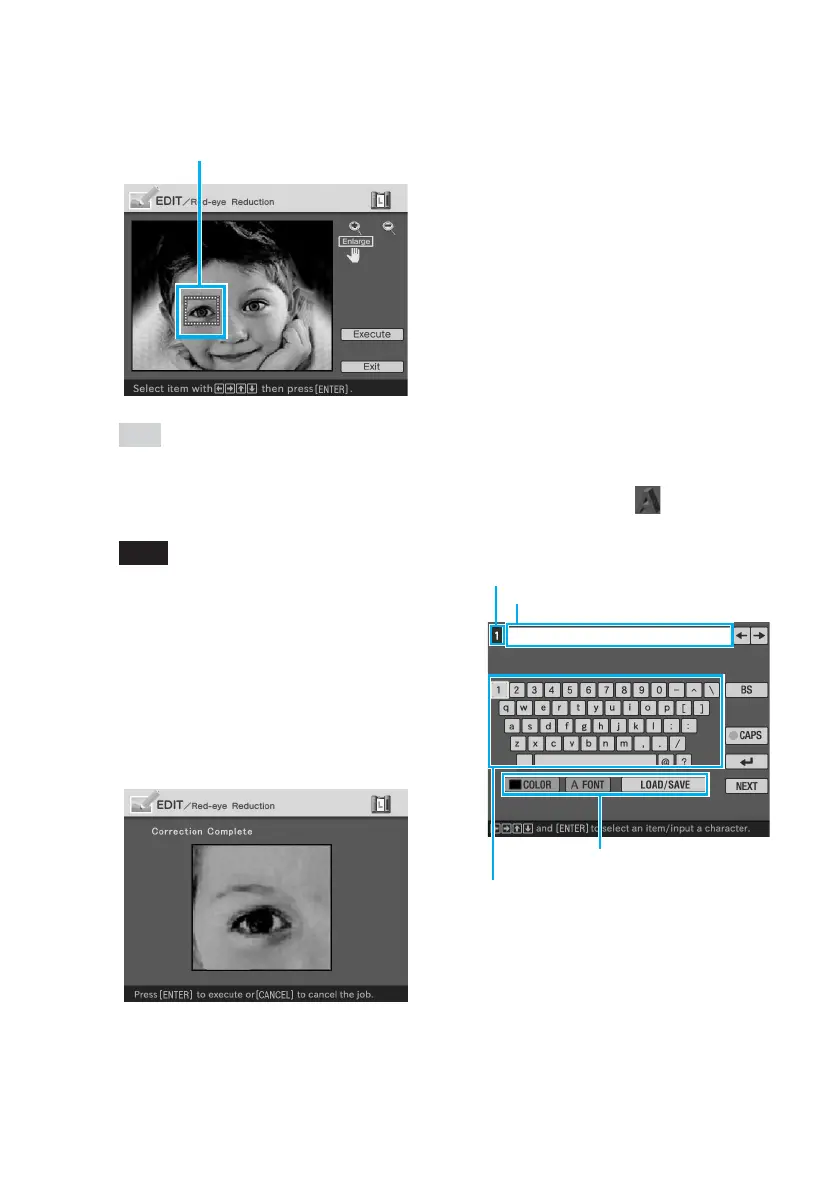
The keyboard is displayed.
Current line number
Character input box
Select color and font, and load/
save the messages.
Select a character.
Each time you press ENTER, the
frame becomes larger or smaller.
Enlarge/reduce the size of the frame
Tip
Make the size of the adjustment frame
two to seven times as large as the eye
size.
Note
Make sure to perform the red-eye
reduction adjustment for the right and
left eye separately.
4
Press the arrow (B/b/V/v)
button to select “Execute” and
press ENTER.
The range of red-eye reduction
adjustment is enlarged.



 To Next Page