15
GB
Preparations
4 Inserting the print
paper
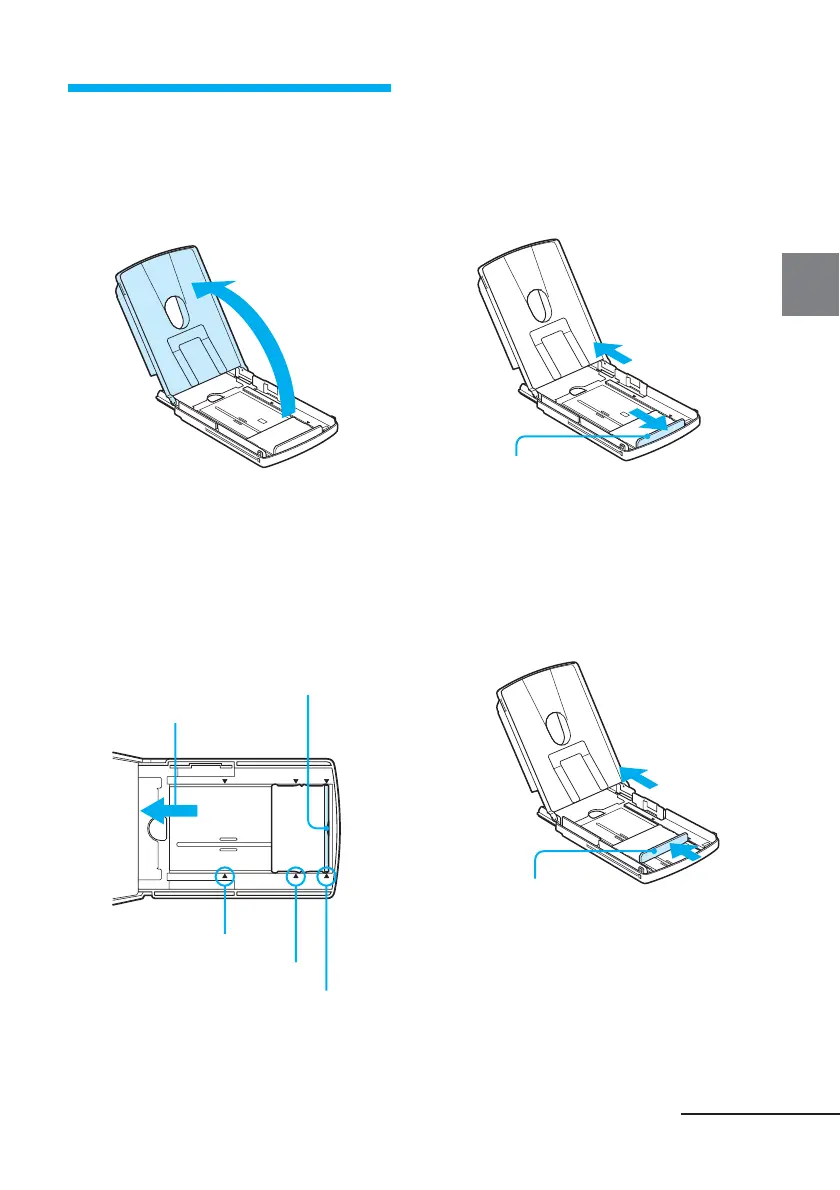
1 Open the paper tray cover.
2 Adjust the spacer to the paper
size you want to use.
On the bottom inside of the paper
tray, there are three arrow markers
showing the slider stopper
positions for the three paper sizes.
Continued
Paper feed
direction
Spacer
Paper feed
direction
Spacer
Slide the spacer.
x To use Post Card size print
paper
Slide the spacer towards outsides
until it clicks into place at the
most outside arrow marker.
x To use 3.5 x 5 inch size print
paper
Slide the spacer toward the paper
feed direction until it clicks into
place at the middle arrow marker.
Paper feeding direction
Marker for Small size
Marker for 3.5 x 5 inch size
Marker for Post card size



 To Next Page