74
GB
Printing images
Printing a selected image
This section explains how to specify an
image number and print the image.
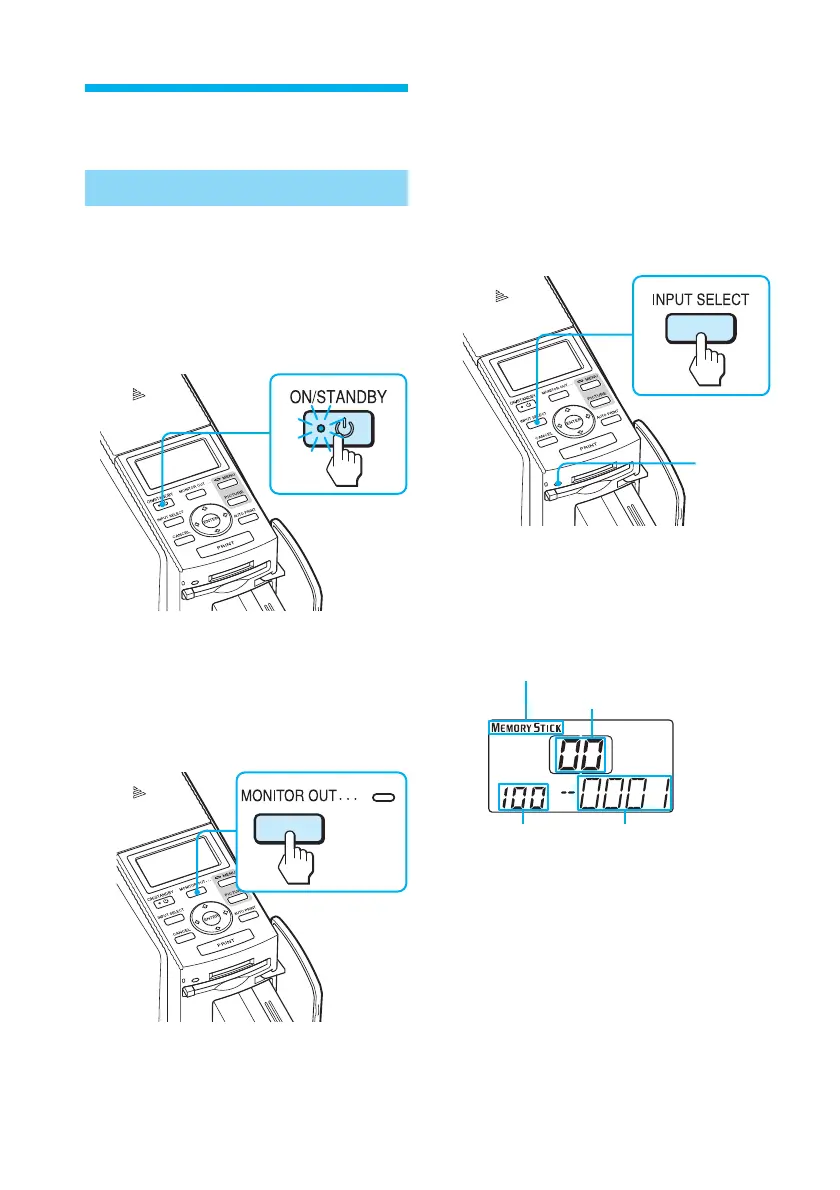
1
Turn on the printer.
The ON/STANDBY indicator lights
in green.
2
Press MONITOR OUT to turn
off the MONITOR OUT
indicator.
The LCD mode is selected .
3
Press INPUT SELECT repeatedly
to select the memory card
containing the images that
you want to print.
Display the desired memory card
type on the LCD display (“Memory
Stick” or “CompactFlash”) .
Access
indicator
The access indicator flashes and the
images are loaded into the printer.
The LCD display of the printer
shows the current image number.
Memory card type
Print quantity
Folder name Image number



 To Next Page