18
GB
Printing using a TV monitor (MONITOR OUT mode)
When you connect your printer to a TV
monitor, you can display the images
and check the operations on the TV
monitor. You can perform the following
printing operations:
• Printing a selected
image (page 22)
• AUTO printing
(INDEX/DPOF/ALL)
(page 27)
• Editing an image
(enlarging/reducing,
moving, rotating,
adjusting, adding a
special filter, red-eye
reduction, entering
characters) (page 30)
• Making various prints
(Creative Print) (free
layout, calendar, card,
split images) (page 42)
• Changing the print settings (page 60)
• Changing the printer preferences
(page 63)
• Viewing the slideshow (page 65)
• Deleting images (page 67)
• Searching an image (page 69)
Connections
Connecting to a TV monitor
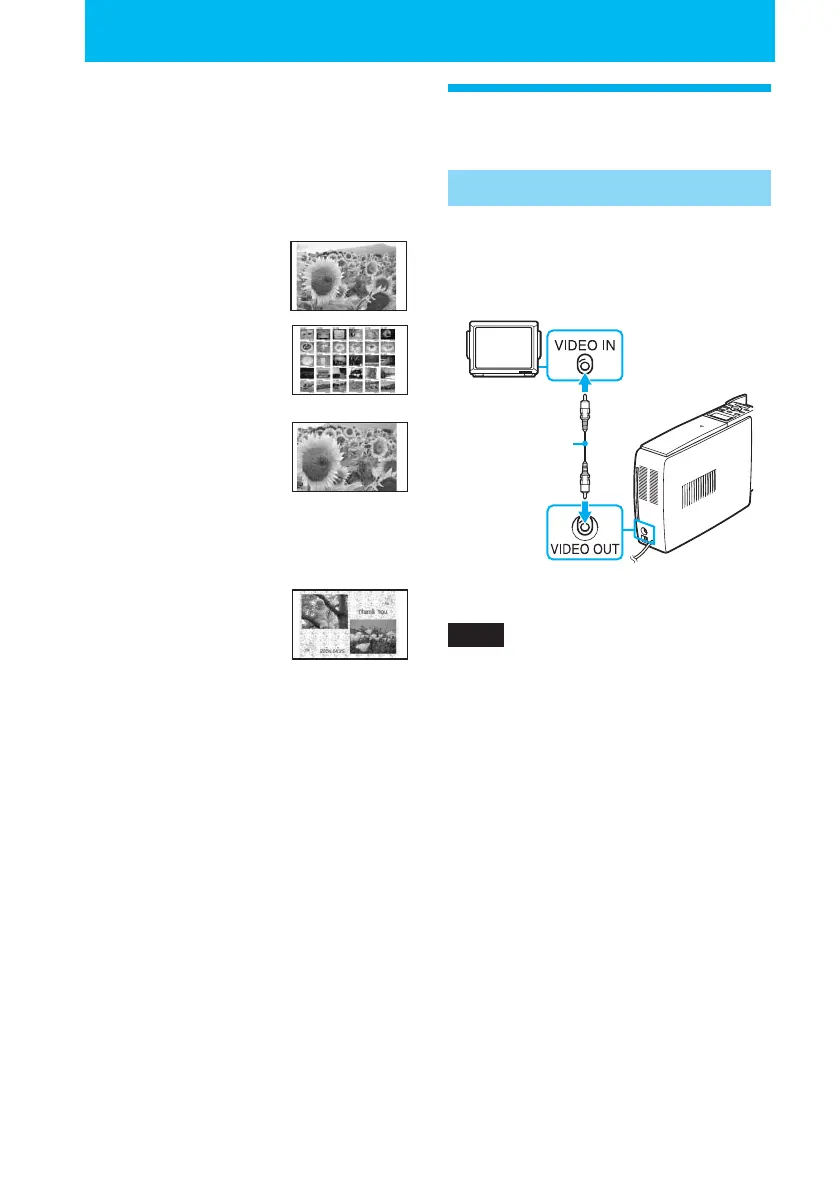
Connect the VIDEO OUT (output)
connector of the printer to the video
input of a TV monitor.
Video connecting
cable (supplied)
Notes
• Before making connections, unplug the AC
power cord of the printer and turn off a TV
monitor.
• When you do not use the supplied video
connecting cable, use a commercially
available video connecting cable shorter
than 3 m.



 To Next Page