68
GB
3
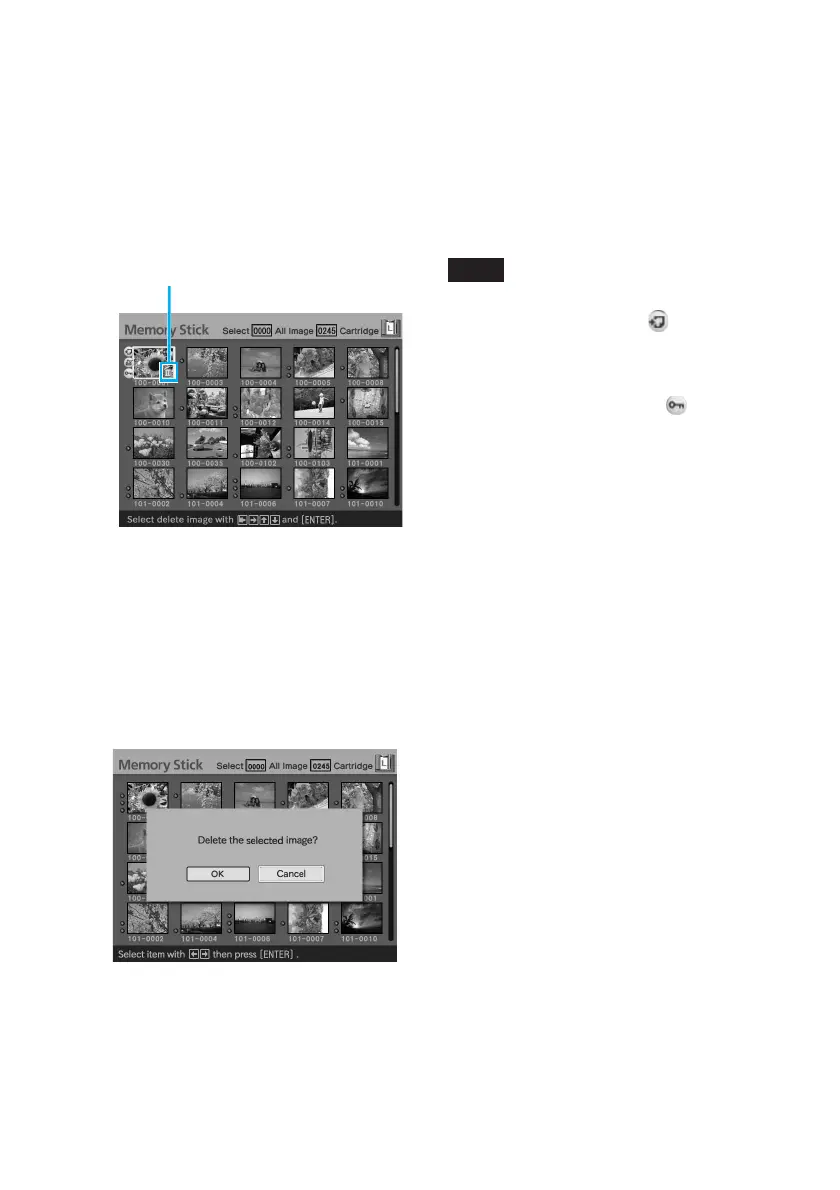
Press the arrow (V/v) button
to select “Delete Image” and
press ENTER.
The image list is displayed. A trash
icon is displayed on the image
selected with the cursor before you
pressed MENU in step 1.
Trash icon
4
Press the arrow (B/b/V/v)
button to move the trash icon
to the image you want to
delete, then press ENTER.
5
Press ENTER.
A confirmation dialog box is
displayed.
6
Press the arrow (B/b) button
to select “OK” and press
ENTER.
The selected image is deleted. To
delete other images, repeat steps 4
through 6.
Notes
• When you delete an image with the
associated file indication ( ), the
associated motion or e-mail file will be also
deleted.
• You cannot delete the protected image
with the protect indication ( ).



 To Next Page