95
GB
Printing from a PC (PC mode)
Uninstalling the PictureGear
Studio
When the software becomes
unnecessary, remove it from your PC
hard disk as follows:
1 Remove the USB cable
between the printer and the
PC.
2 Insert the supplied CD-ROM
into the CD-ROM drive of your
computer.
The setup starts automatically and
the installation window is
displayed.
Note
In case the installation window is not
automatically displayed, double-click
the “Setup.exe” of the CD-ROM.
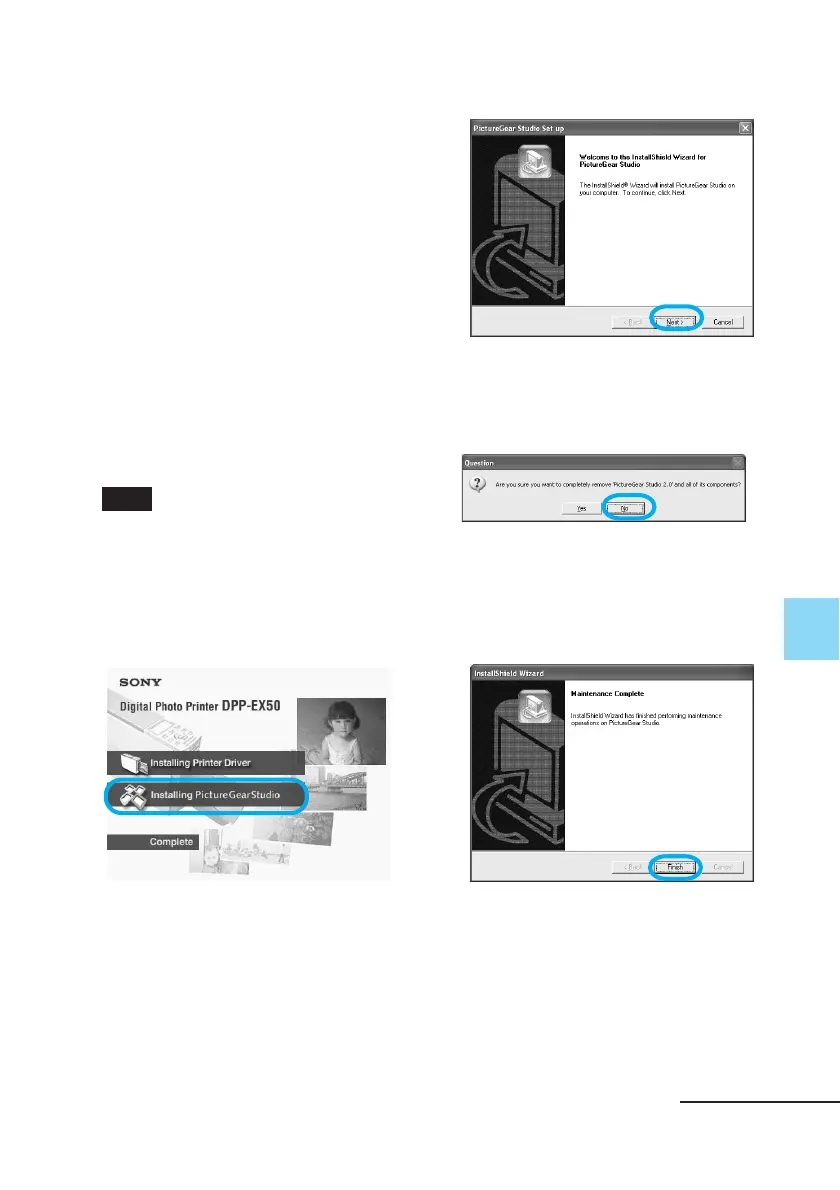
3 Click “Installing PictureGear
Studio.”
The “PictureGear Studio Setup”
dialog box appears.
4 Click “Next.”
The dialog box used for confirming
deletion is displayed.
5 Click “OK.”
The deletion complete dialog box is
displayed.
6 Click “Finish.”
The relevant files are deleted.
Continued



 To Next Page