97
GB
Printing from a PC (PC mode)
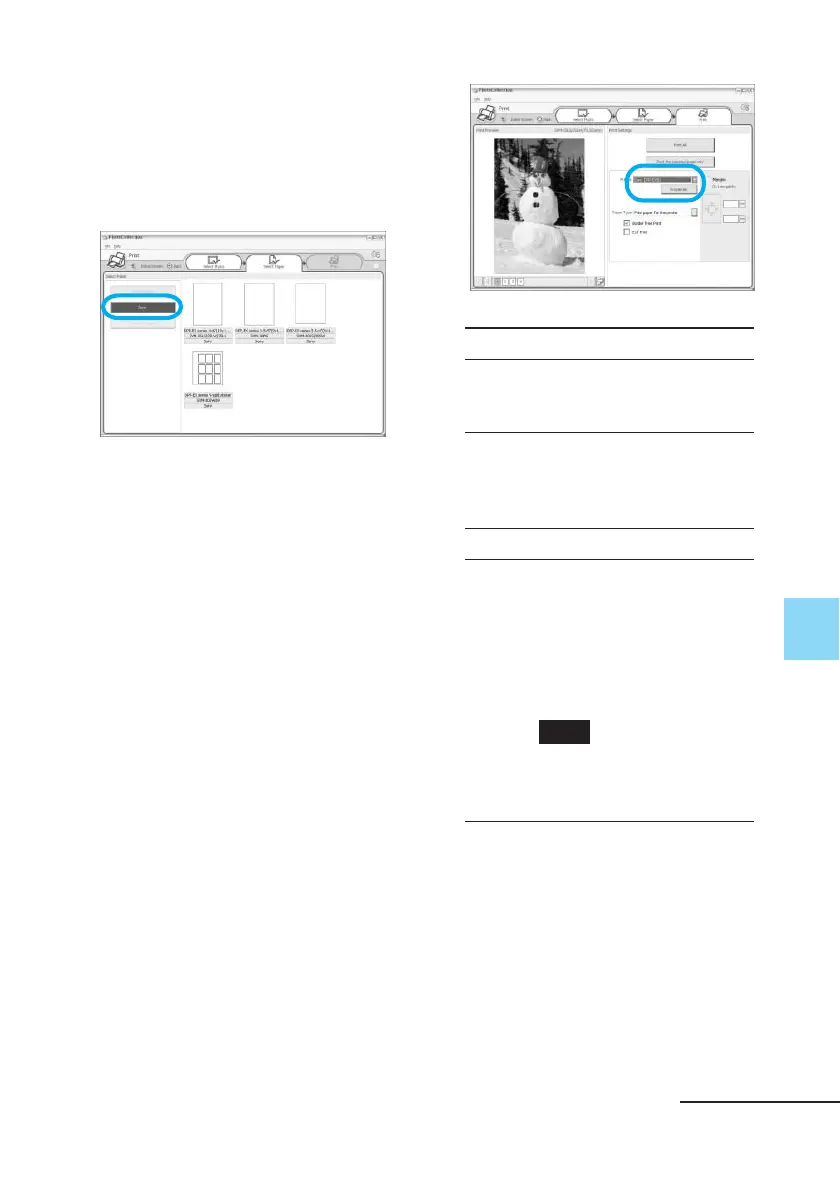
6 Click “Sony Standard Papers”,
and then select the desired
paper size.
Select either of the following paper
sizes for the DPP-EX series:
• DPP-EX series 4 x 6“ (Postcard
size)
SVM-25LS/25LW/75LS
• DPP-EX series 3.5 x 5”
SVM-30MS
• DPP-EX series 3.5 x 4“ (Small
size)
SVM-30SS/30SW/30SW09
When you select the paper size, the
print dialog box is displayed.
7 In the “Printer” drop-down list
box, select “Sony DPP-EX50”
and then click “Properties”.
In the “Printer” drop-down list box,
select the printer that you actually
use.
Items Functions
Print All All the photos selected in
the “Select Photo” window
will be printed.
Print the selected page only
The image being displayed
in the “Print Preview” will
be printed.
Printer Select “Sony DPP-EX50.”
Border Free Print
• When checked, an image
will be printed without
margins around it.
• When unchecked, an
image will be printed
with margins around it.
Note
You cannot check when
using the Small size print
paper.
Continued



 To Next Page