5-31
DSR-2000A/2000AP
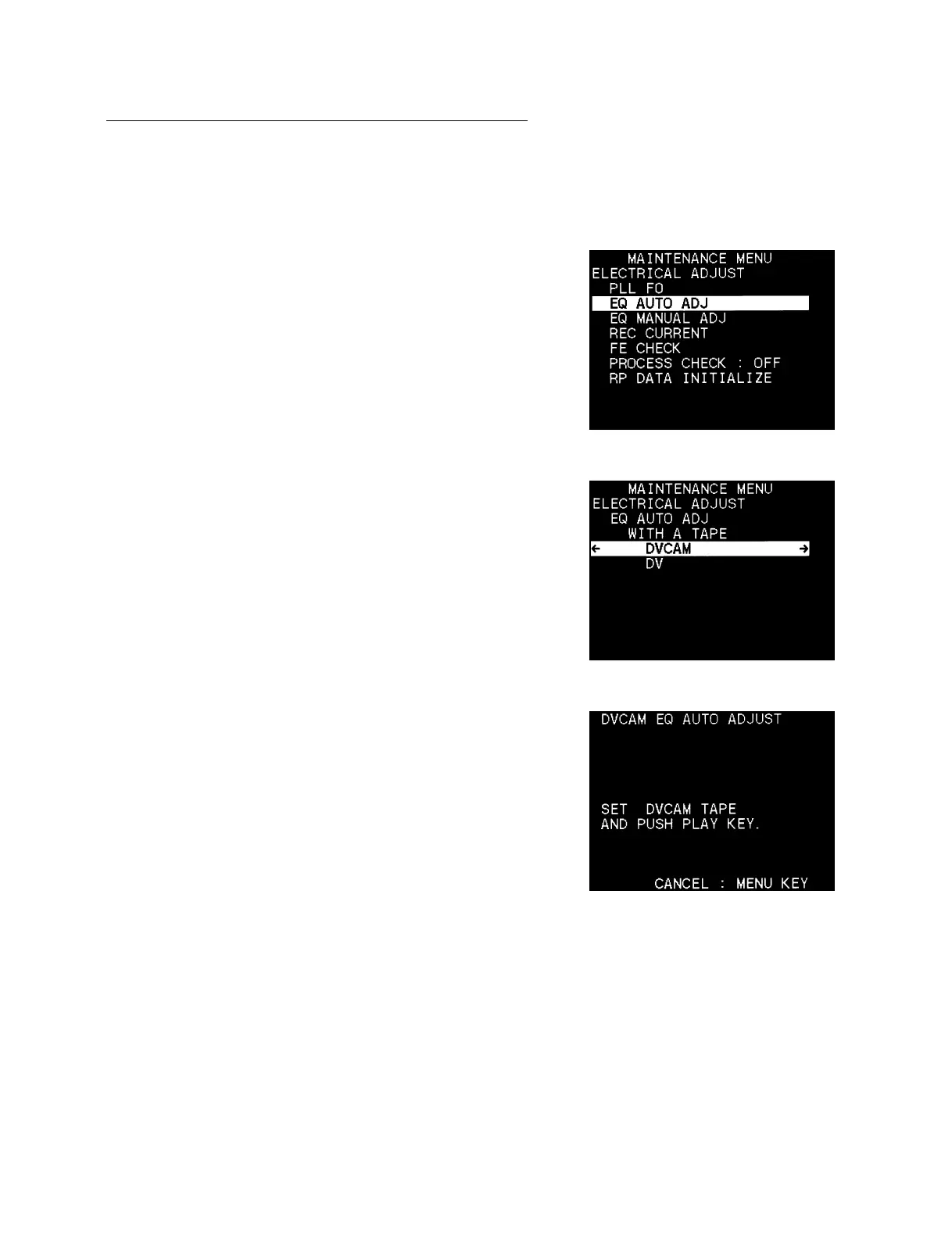
2. EQ AUTO ADJ
The EQ AUTO adjustment is described below:
11
11
1 DVCAM
1. Select the EQ AUTO ADJ.
2. Move the cursor displayed with a white background to the
DVCAM using the [AUDIO|IN] (↑) and [IN] (↓) keys and
press the [ENTRY] (→) key.
3. After the monitor display comes out as shown right, insert the
XH5-1A2 (for NTSC) or XH5-1AP2 (for PAL) into the unit.
4. Press the [PLAY] key.
5. Confirm “COMPLETE” is displayed on the monitor.
To return to step 2, press the [DELETE] (←) key once.
To return to step 1, press the [DELETE] (←) key twice.
To return to the main menu, press the [DELETE] (←) key three
times.
In the case of trouble :
If “INCOMLETE” is displayed on the monitor;
1 Send the small length of the tape forward and repeat step 2
again.
2 If “INCOMLETE” is still displayed after performing 1,
check the RP-111 board (the EQ circuit).











 To Next Page