3-35
DSR-2000A/2000AP
COM Setting
Port
COM1
38400
Odd
8
1
Baudrate
Data Bit
Parity Bit
Stop Bit
OK Cancel
Flash ROM Update
Flash ROM Update - COM Setting
Browse
QuitCancelStart
File
SY SV SP
VTR Status
CPU
PC Status
3-9-3. Version Upgrade from a PC through RS-422
Preparation
To convert the RS-232C of a PC to RS-422 (9 pin), use a conversion box or conversion board available
on the market.
Install the version upgrade application software (fup.exe) on the PC on which Windows95 or 98 is
installed.
Download the version upgrade software of CPUs to be upgrade.
How to use Fup.exe
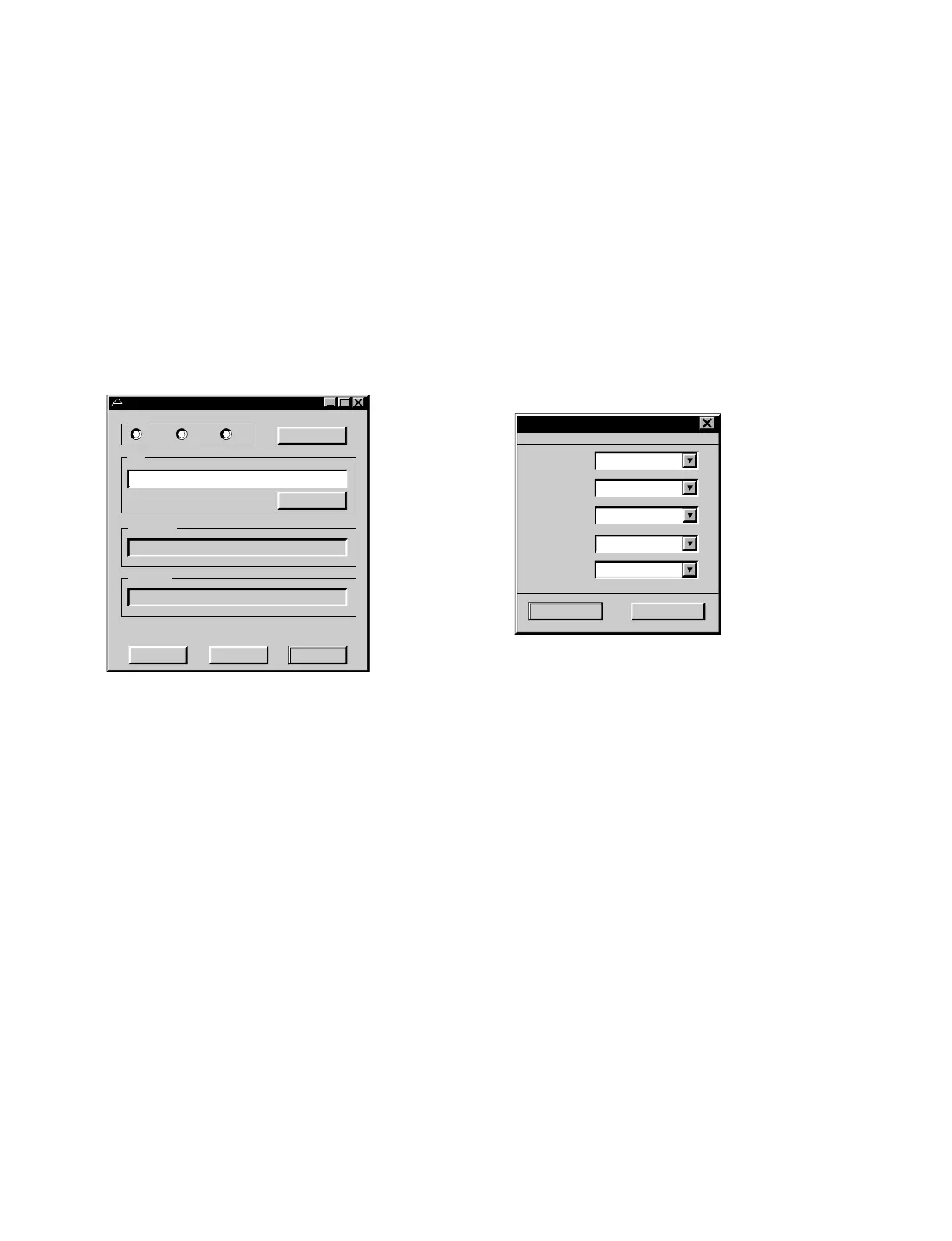
Start up the fup.exe and then the main dialogue menu shown below appears.
Main Dialogue Communication Setting Dialogue
CPU : Select one of SY, SV and SP.
(Designate a target CPU to be transferred.)
COM Setting : The communication setting dialogue appears.
(DO NOT assign items other than Port.)
File : Enter a hex filename to be transferred in this field.
When a filename is selected using Browse, the selected filename appears.
(Drag & Drop is supported.)
Browse : The file selection menu appears.
VTR Status : The message from a VTR appears in this field.
PC Status : This field shows a status such as “FINISH”,
Start : The file transfer to a VTR is started. (Unless a filename is designated, it is invalid. )
Cancel : The file transfer to a VTR is stopped.
Quit : The application is terminated.
Operation
Operate in the order of “Select CPU.” → “ Designate hex.filename to be transferred.” → “Press Start
button.”.
During transferring, the status is displayed in between “PC Status” and “ Start, Cancel and Quit buttons”.
The progress bar and the remaining time are displayed.











 To Next Page