3-12
DSR-2000A/2000AP
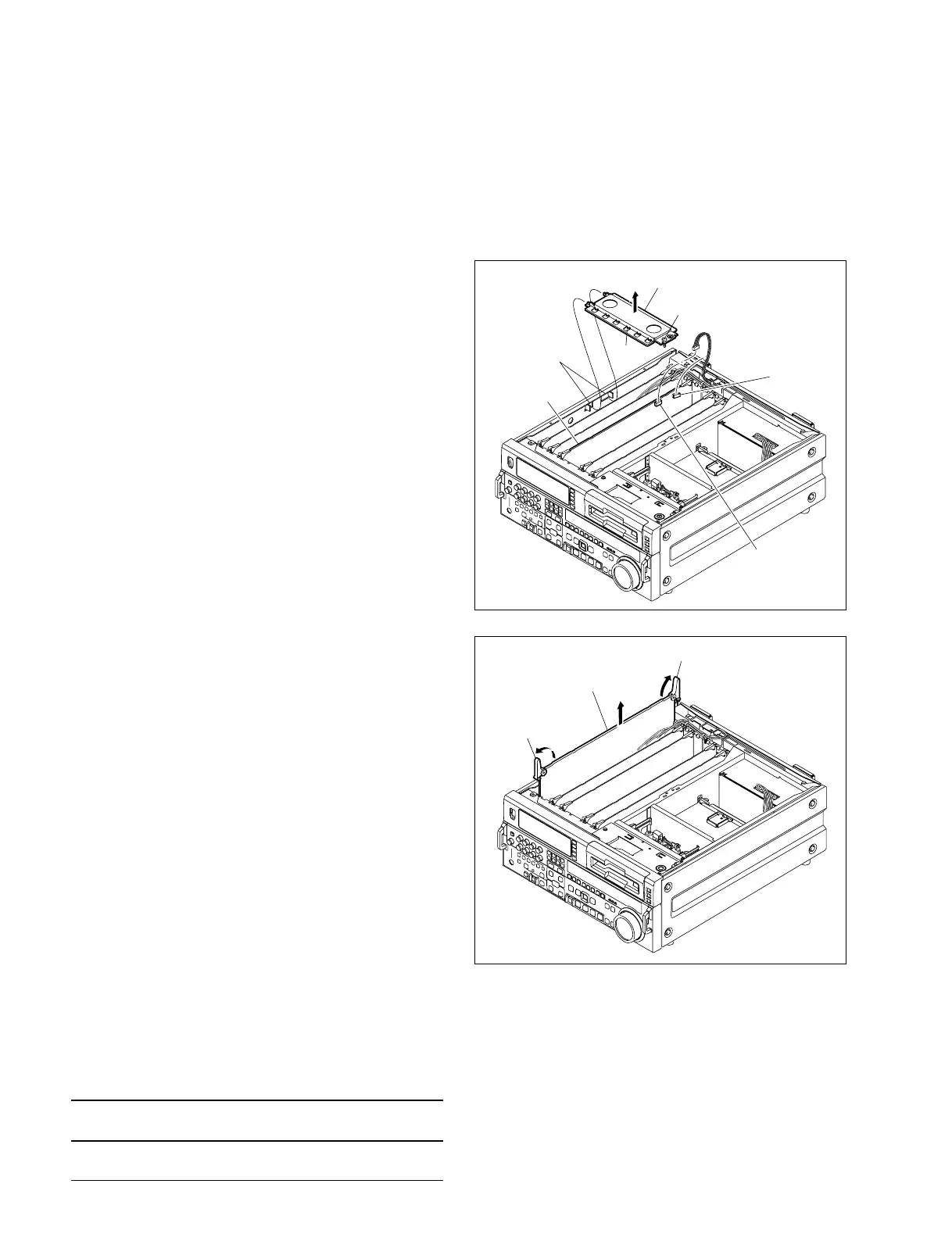
Board lever
Card board
Board lever
3-5. Removal/Reattachment of the
Boards
n
Be sure to remove the board after turning off the power.
3-5-1. Removal/Reattachment of the Card
Boards
(1) Remove the top panel. (Refer to Section 3-3.)
(2) Loosen the screw shown in the figure and remove the
board retainer assembly.
. The screw has a drop-protector so that it cannot fall
out of the board retainer assembly.
(3) Push up the board lever in the arrow direction and
raise it upwards.
n
When removing the DPR-136A board, disconnect the
harness connector from the connector (CN602).
(4) Reattach the board in the reverse order of the remov-
ing steps (1) to (3).
m
. Insert the board along the board guide rails until it
connects firmly with the connector of the mother-
board.
. Set the board to claws of board retainer firmly.
3-5-2. Extension Board
An optional extension board is supplied to check and
adjust the card boards. Attach the extension board to this
unit and attach the board to be checked and adjusted to the
top of the extension board.
Extension board Card boards which can be
connected
DJ-493 APR-45, DPR-136A, SV-212,
(Part No.: J-6444-930-A) SY-278A, VPR-62A
B3 x 6
DPR-136A
board
CN602
Board retainer assembly
Square hole
Hook
Cable
clamper











 To Next Page