5-33
DSR-2000A/2000AP
3. EQ MANUAL ADJ
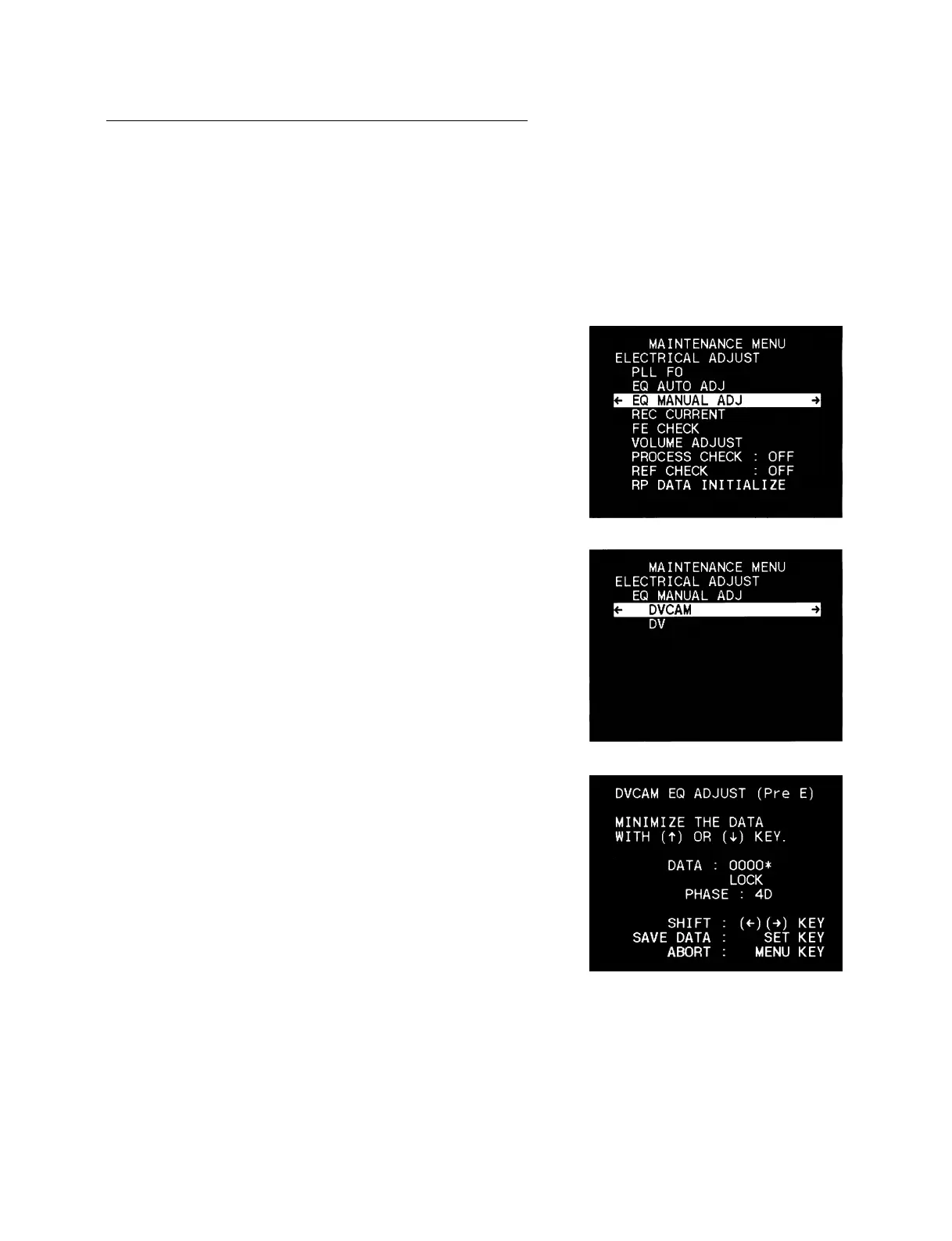
The EQ MANUAL ADJUSTMENT is described below:
[Reference][Reference]
[Reference][Reference]
[Reference]
If any errors are found in the played back picture and audio, or if
“INCOMPLETE” is displayed after completing the EQ AUTO
ADJ in the previous section, this adjustment enables to check the
status of the RF of each HEAD.
1. Select the EQ MANUAL ADJ.
2. Select the mode desired to check using the [AUDIO|IN] (↑)
and [IN] (↓) keys, and press the [ENTRY] (→) key.
3. Insert the cassette of which mode you desire to check into the
unit.
DVCAM : 15 u ADJ cassette
DV : 10 u ADJ cassette
4. Press the [PLAY] key.
5. Press the [RESET] key to display asterisk mark “*” to the
right side of the DATA: 0000.
6. Select the HEAD for checking with the [ENTRY] (→) key.
[Reference][Reference]
[Reference][Reference]
[Reference]
The HEAD selected is displayed in the ( ) on the top of the
monitor display.
In the case of DVCAM :
Pre E → Pre O → Main E → Main O → Sub E → Sub O →
Rec E → Rec O
In the case of DV :
Main E → Main O → Sub E → Sub O
7. Confirm that the DATA on the screen is 0000* through
000F*.
n
If press the [SET] key during confirmation, perform the EQ
AUTO adjustment.











 To Next Page