7-4
DSR-2000A/2000AP
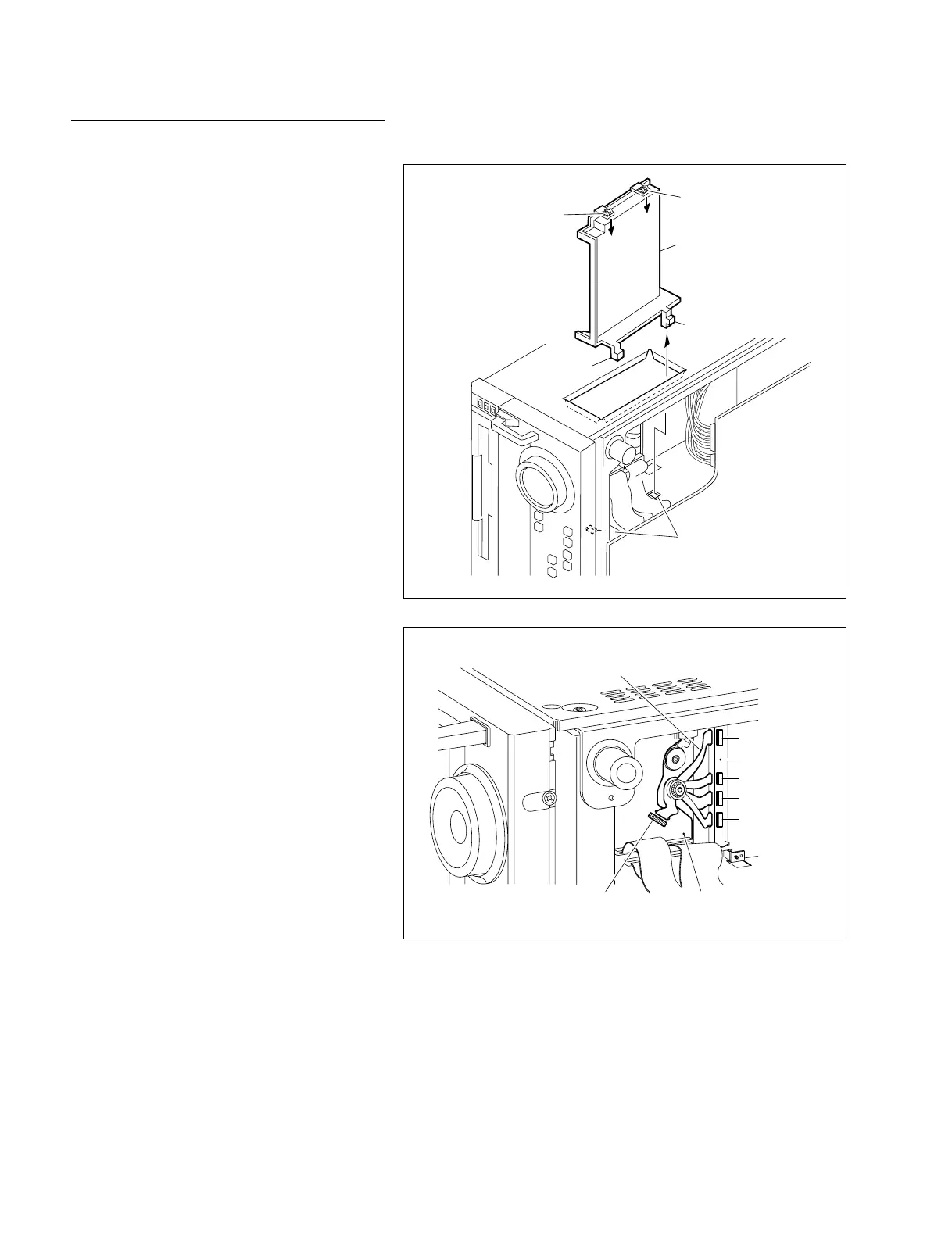
CN1
CN2
CN3
CN4
CN10
Flexible card wire
RP-111 board
MS-64 board
Square hole
Claw
MD cover
Claw
Claw
Claw
Replacement
1. Removing the MD cover
(1) Put the unit left side facing down.
(2) Push the two claws on the upper side of the
MD cover in the direction of the arrow as
shown in the figure to remove the lock.
(3) While removing the two claws on the lower
side of the MD cover from the square holes
on the chassis, remove the MD cover from
the square hole on the right side chassis.
2. Disconnecting the connectors
Disconnect the five flexible card wires from the
connector (CN10) on the MS-64 board and four
connectors (CN1, CN2, CN3 and CN4) on the
RP-111 board located on the rear side of the
chassis.
n
Be careful not to suffer injury at hand by chassis
during the disconnection.











 To Next Page