8-3
DSR-2000A/2000AP
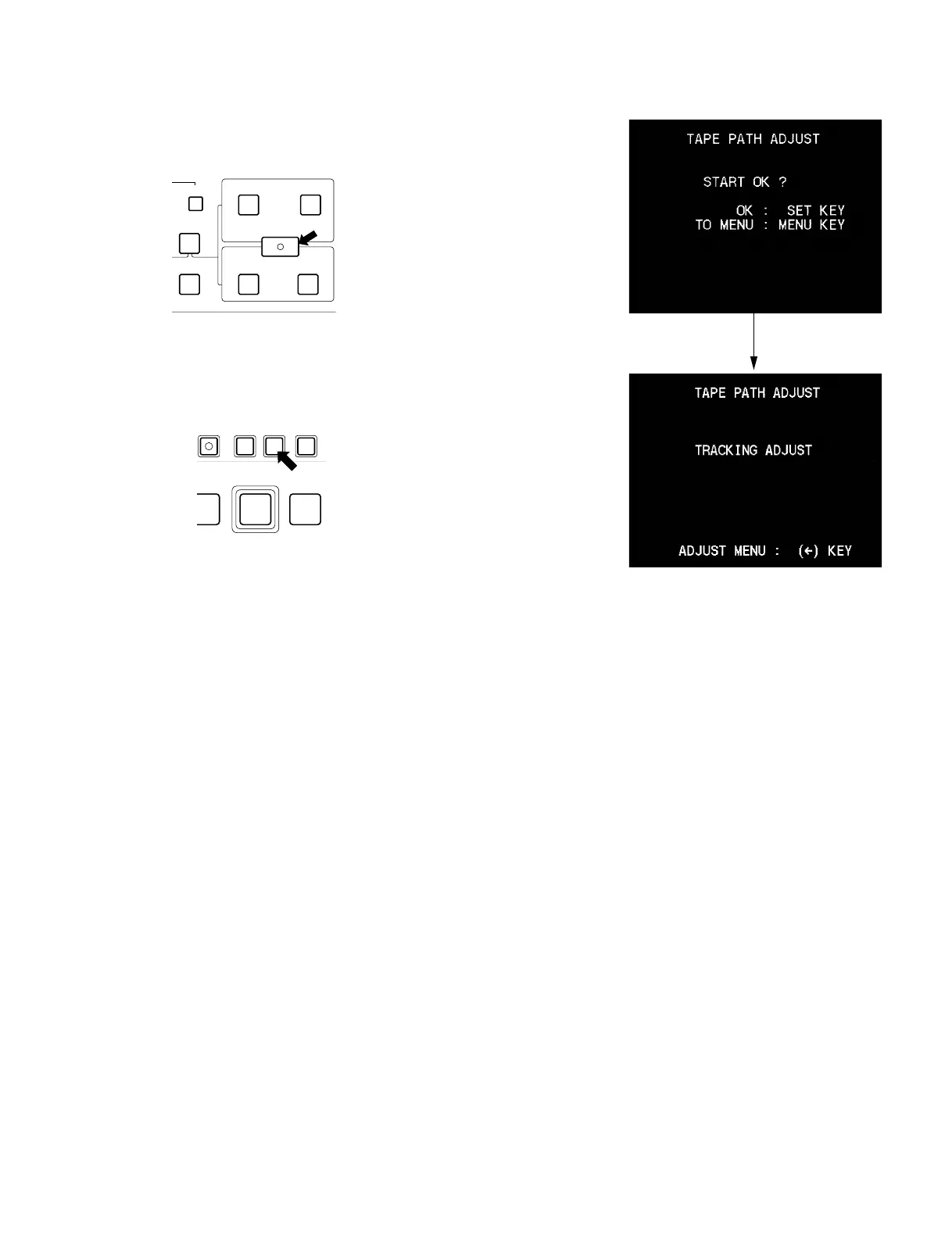
(5) Press the [ENTRY|SHIFT] (8) key to show the
“START OK?” display.
(6) Press the [SET] key.
(7) Display the “TRACKING ADJUST” on the screen.
The adjustments that are described in sections 8-2, 8-4
to 8-8 are performed under this mode.
n
This unit does not have the tracking shift function.
Instead of having the tracking shift function, the
tracking alignment tape XH2-1AST has already been
recorded in the factory so that the servo is locked at 50
% off-track automatically.
DELETE
ENTRY SHIFT
AUDIO
TC
IN OUT
IN OUT
CH-4
REVIEW
EDIT
(8)
REC
SET HOLDMENUPB
COUNTER SEL
EDIT
PREROLL











 To Next Page