3-29
DSR-2000A/2000AP
< Type F >
Removing method
n
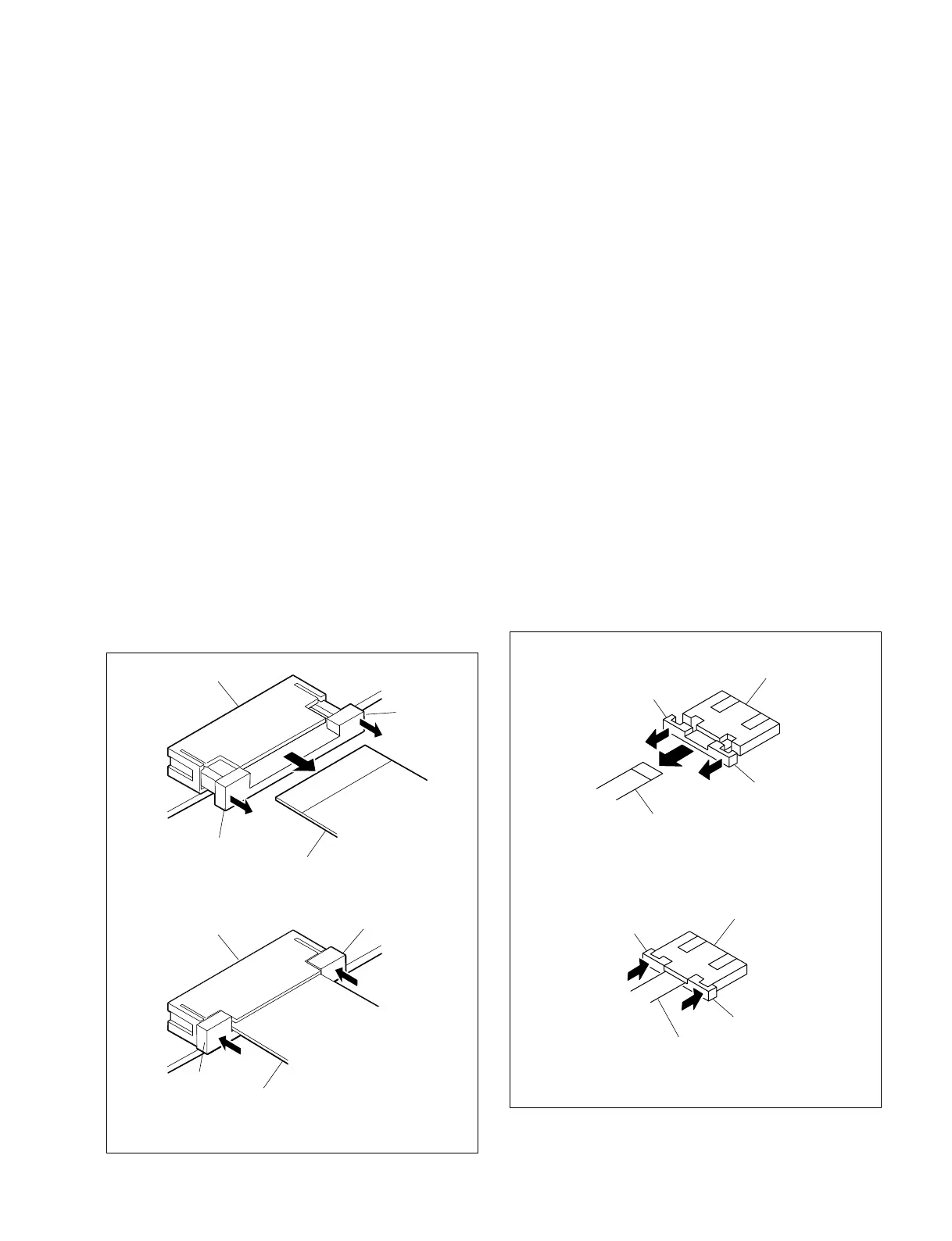
Do not pull the flexible card wire before releasing the lock.
1. Move the portion “A” of the connector in the direction
of the arrow A to release the lock. Remove the
flexible card wire.
Insertion method
m
. Confirm that the contacting surface of the flexible card
wire is free from stain and dust.
. Confirm that the lock of the connector is already re-
leased.
. The flexible card wire has the conduction side and the
insulation side. Check the conduction side and the
insulation side before connection.
1. Insert the flexible card wire securely to the deep end.
2. Push in the portion marked “A” of the connector in the
direction of the arrow to lock the connector. Be
careful that the flexible card wire is not slanted with
respect to the connector.
A
A
Locked status
Flexible card wire
Connector
A
A
Flexible card wire
Connector
Unlocked status
A
A
A
A
Flexible card wire
Connector
Unlocked status
Locked status
Flexible card wire
Connector
< Type E >
Removing method
n
Do not pull the flexible card wire before releasing the lock.
1. Move the portion “A” of the connector in the direction
of the arrow A to release the lock. Remove the
flexible card wire.
Insertion method
m
. Confirm that the contacting surface of the flexible card
wire is free from stain and dust.
. Confirm that the lock of the connector is already re-
leased.
. The flexible card wire has the conduction side and the
insulation side. Check the conduction side and the
insulation side before connection.
1. Insert the flexible card wire securely to the deep end.
2. Push in the portion marked “A” of the connector in the
direction of the arrow to lock the connector. Be
careful that the flexible card wire is not slanted with
respect to the connector.











 To Next Page