5-11
DSR-2000A/2000AP
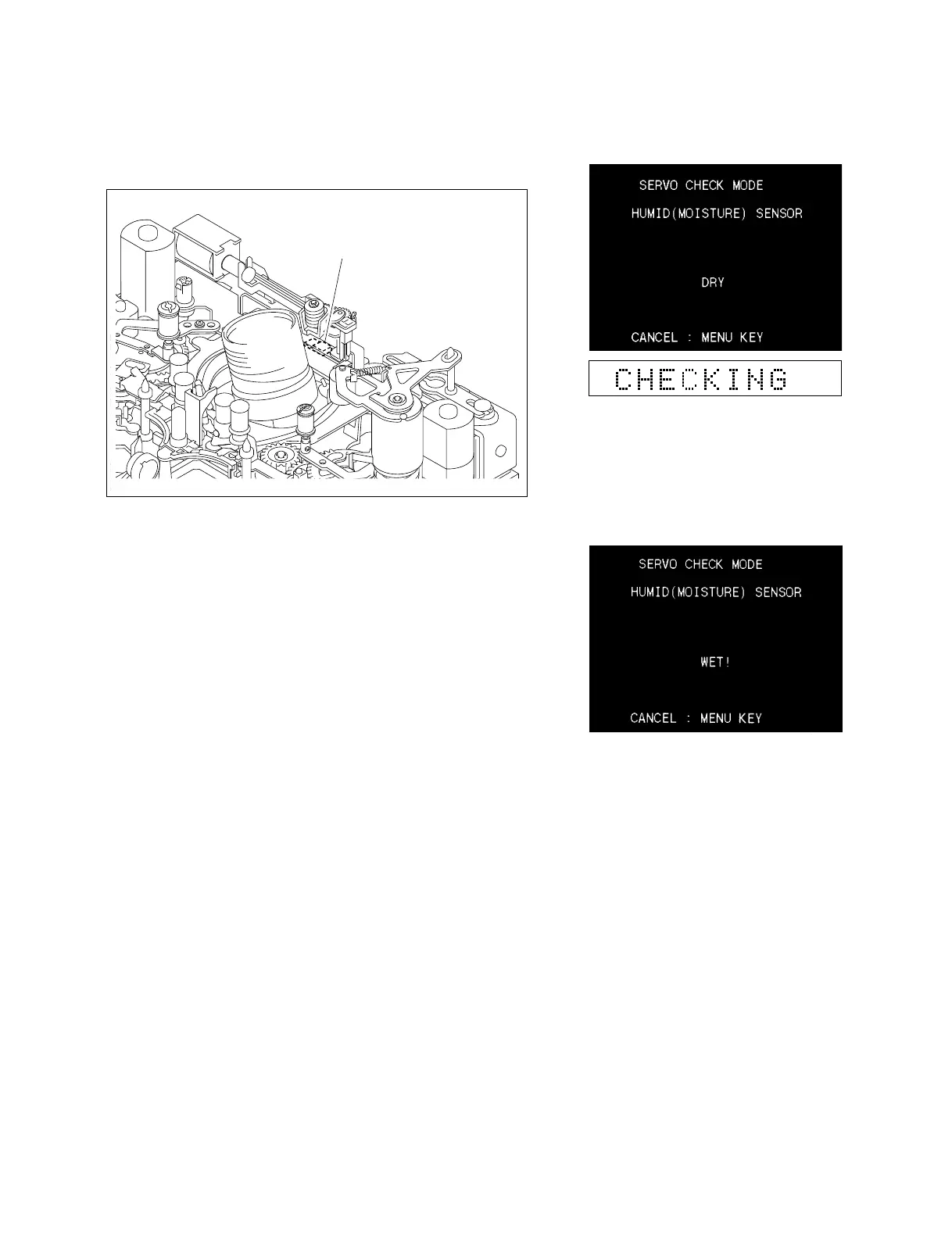
HUMID (condensation) sensor
33
33
3 HUMID (MOISTURE)
Checks the HUMID (condensation) sensor.
1. Execute the HUMID (MOISTURE).
2. Bring a cotton swab moistened with water in contact with the
HUMID sensor.
Confirm that [DRY] changes to [WET!] on the monitor
display.
3. Blow wind onto the HUMID sensor to evaporate any water.
Confirm that the display changes to [DRY] on the monitor 30
minutes later.
n
Once the HUMID sensor detects [WET!], even if make it dry
immediately, it takes 30 minutes to detect [DRY].
In the case of trouble :
If the display does not change from DRY to WET!, check whether
the HUMID sensor itself is defective.
Check also the HUMID sensor amplifier (MS-64 board).











 To Next Page