Help Guide
IC Recorder
ICD-TX800
Dividing a file at the current playback point
You can divide a single file into two files. Dividing a file helps you quickly locate the point from which you want to play in
a long recording file, such as a meeting recording. You can further divide either of the divided files.
Operate the remote control and follow the steps below:
Note
You cannot divide a protected file. To divide a protected file, remove the protection from the file first, then divide the file. For
instructions on removing protection, see Protecting a file.
Hint
To cancel the dividing process, select “No” in step 3, and then press
.
Related Topic
Selecting a file
Dividing a file at all the track mark points
4-699-323-32(1) Copyright 2017 Sony Corporation
Operate the remote control to select the file that you want to divide, and then play the file and stop at a
point where you want to divide the file.
1
Select “Divide” - “Current Position” from the OPTION menu, and then press
.
“Divide at Current Stop Position?” appears on the display window.
2
Press
or to select “Yes,” and then press .
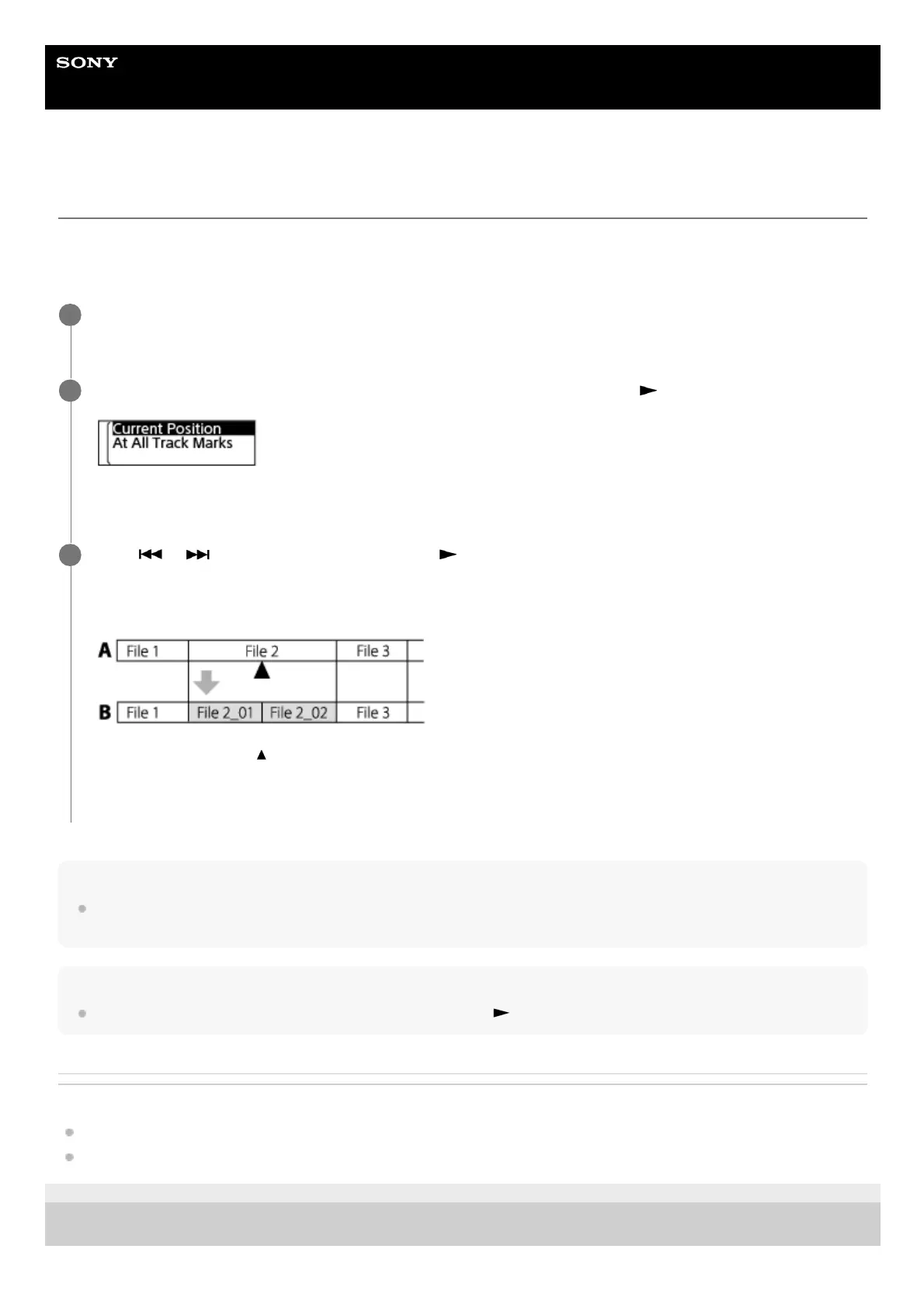
“Please Wait” appears, and the divided files will be suffixed with a sequential number (“_01” for the first part, and
“_02” for the second part).
A. Before dividing a file: indicates where you divided the file.
B. After dividing a file: A suffix made up of a sequential number (“_01” for the first part, and “_02” for the second
part) is added to the file name of the divided files.
3



 To Next Page