Turning off the remote control
The remote control is not equipped with the power button. It automatically turns off if:
you leave the remote control unused for about 5 minutes while a wireless connection with the IC recorder is not
established.
you turn off the IC recorder while a wireless connection with the remote control is established.
you leave the remote control unused for about 2 hours while a wireless connection with the IC recorder is
established.
When the remote control turns off, the operation indicator on the remote control lights for 2 seconds.
To operate the remote control after it turned off, turn on the remote control first.
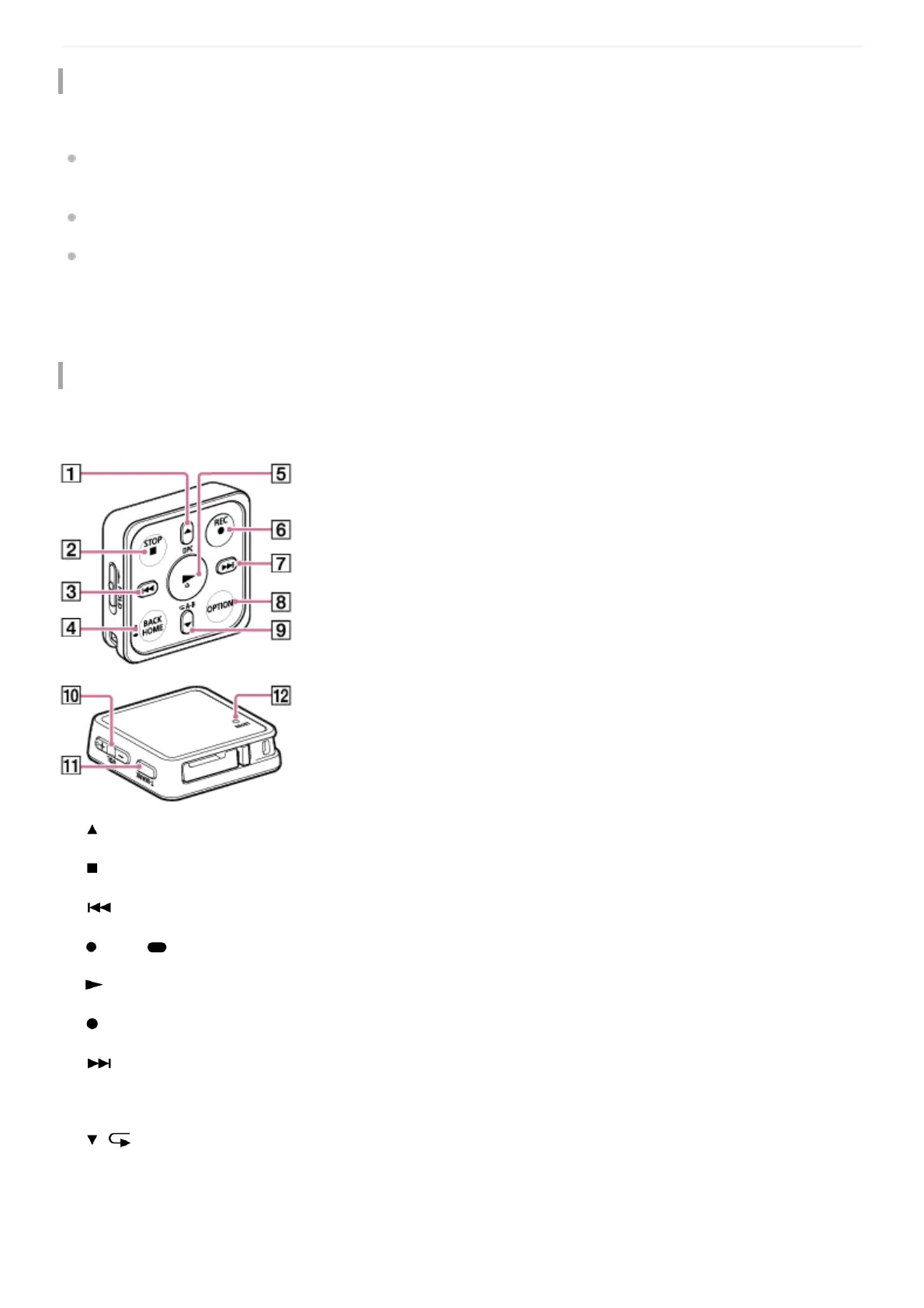
Buttons on the remote control
The remote control is equipped with the following buttons.
When you press any one of the buttons, the operation indicator on the remote control flashes once.
/DPC (Digital Pitch Control) button1.
STOP button2.
(review/fast backward) button3.
BACK/ HOME button4.
(play/enter) button5.
REC button6.
(cue/fast forward) button7.
OPTION button8.
/ A-B (repeat A-B) button9.
VOL -/+ (volume -/+) button10.
T-MARK (track mark) button11.



 To Next Page