Help Guide
IC Recorder
ICD-TX800
Parts and controls
IC recorder
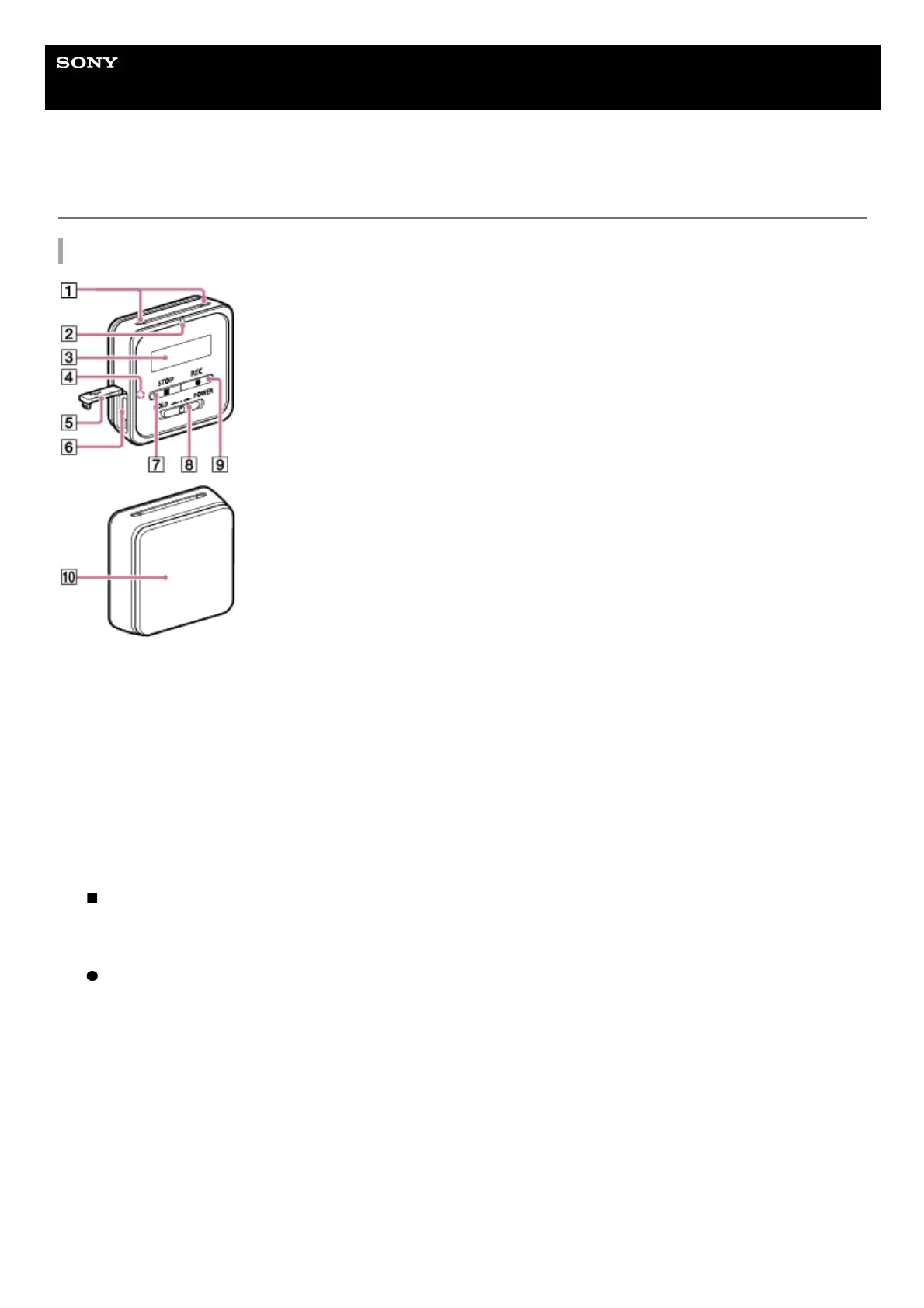
Built-in microphones1.
Operation indicator2.
Display window3.
Bluetooth indicator (*1)4.
USB connector cover5.
USB/Headphone connector (inside the USB connector cover)6.
STOP button7.
HOLD•POWER switch (*2)8.
REC button9.
Clip (*3)10.
The indicator changes in color or flashes to indicate the status of the Bluetooth function or the Bluetooth pairing (device registration).
*1
To restart your IC recorder, slide the HOLD•POWER switch to "POWER" and hold it for 8 seconds or longer. For details, see Restarting the IC
recorder.
*2
You can clip your IC recorder onto your clothing, such as the hem of a pocket.
*3



 To Next Page