Help Guide
IC Recorder
ICD-TX800
Releasing the IC recorder from the HOLD state
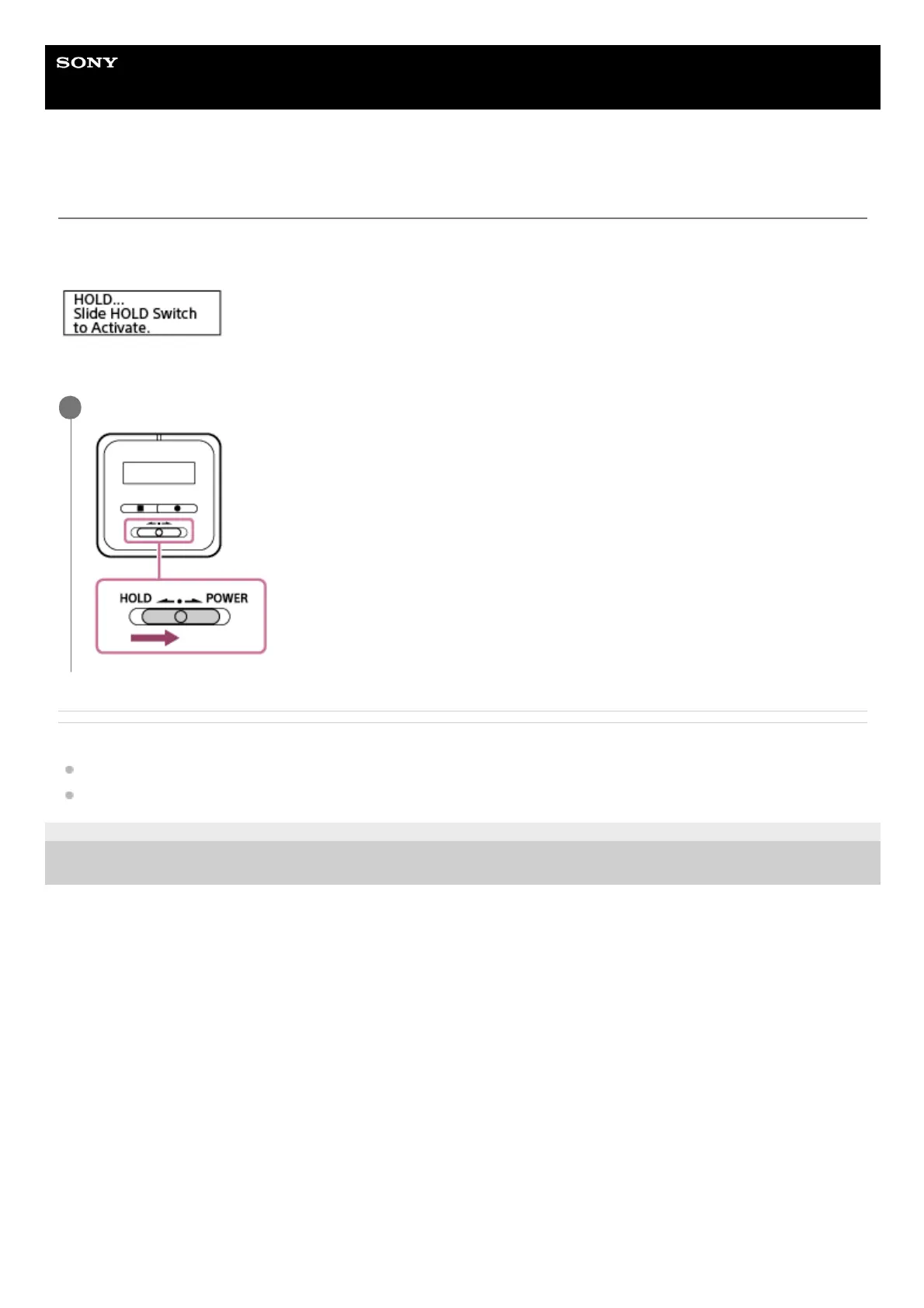
When your IC recorder is placed in the HOLD state, pressing any button displays “HOLD... Slide HOLD Switch to
Activate.” on the display window.
Release the IC recorder from the HOLD state before you use it.
Related Topic
Placing the IC recorder into the HOLD state (HOLD)
Operating the remote control
4-699-323-32(1) Copyright 2017 Sony Corporation
Slide the HOLD•POWER switch on the IC recorder to the center dot.
1



 To Next Page