Help Guide
IC Recorder
ICD-TX800
Charging the IC recorder with a computer
You can use a computer to charge the battery of your IC recorder.
If you use the IC recorder for the first time or you have not used it for an extended period of time, charge the battery until
the
indicator appears on the display window.
It takes about 1 hour (*) to fully charge the exhausted battery.
Note
If your IC recorder is connected to a computer which is not running or in a power saving mode (standby or sleep), the battery will
not charge.
Related Topic
Disconnecting the IC recorder from the computer
Connecting the IC recorder to a computer
4-699-323-32(1) Copyright 2017 Sony Corporation
Approximate time period that requires to charge the exhausted battery at room temperature. It may vary depending on the remaining battery
power or the state of the battery.
*
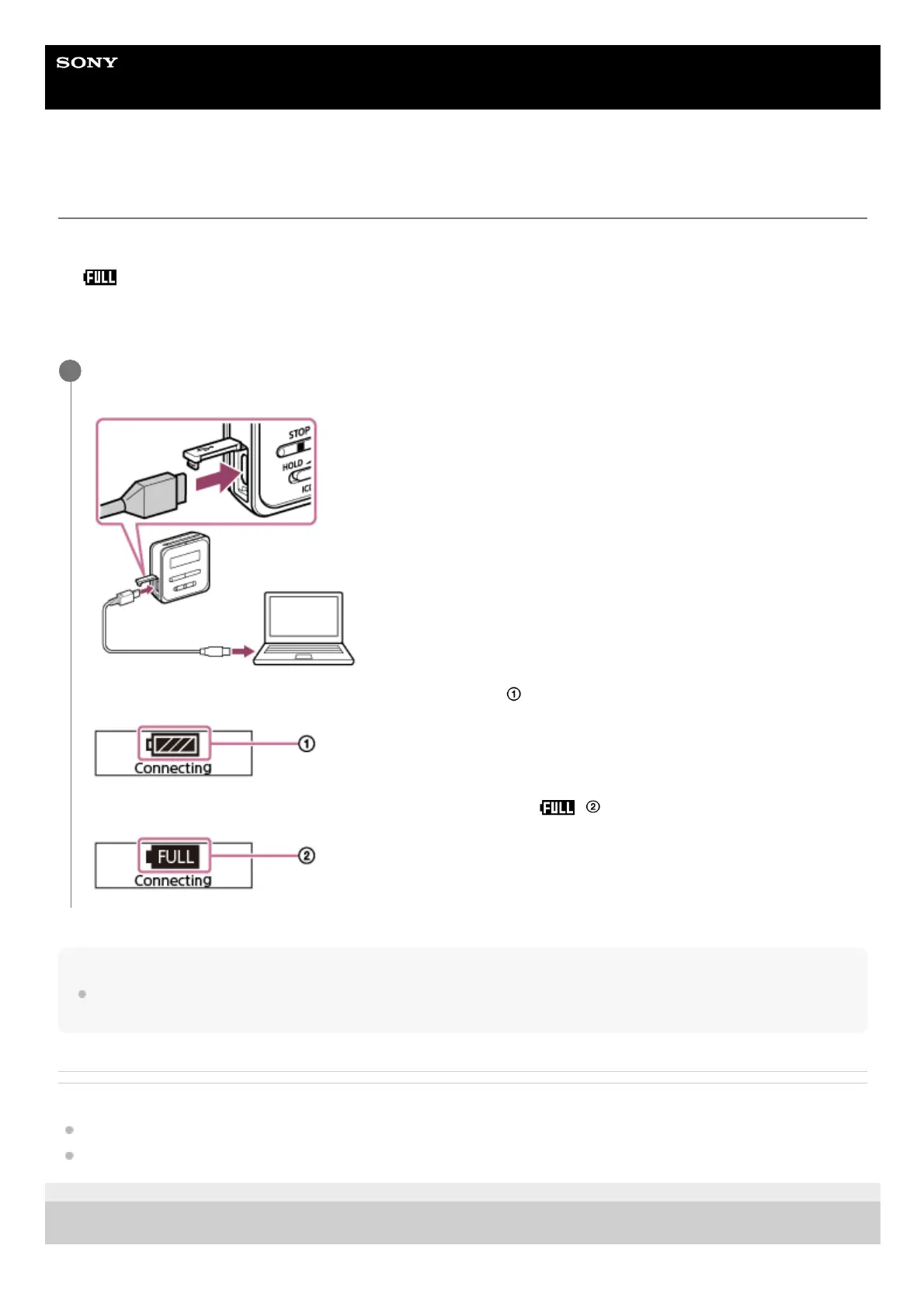
Open the USB connector cover on the side of the IC recorder. Connect the USB/Headphone connector and
a USB port on a running computer with the supplied USB cable.
While the battery is charging, the battery indicator animation ( ) appears on the display window.
When the battery is fully charged, the battery indicator will indicate ( ).
1



 To Next Page