Help Guide
IC Recorder
ICD-TX800
Using the smartphone for IC recorder operations
When a Bluetooth connection is established, the REC Remote screen appears on the smartphone.
4-699-323-32(1) Copyright 2017 Sony Corporation
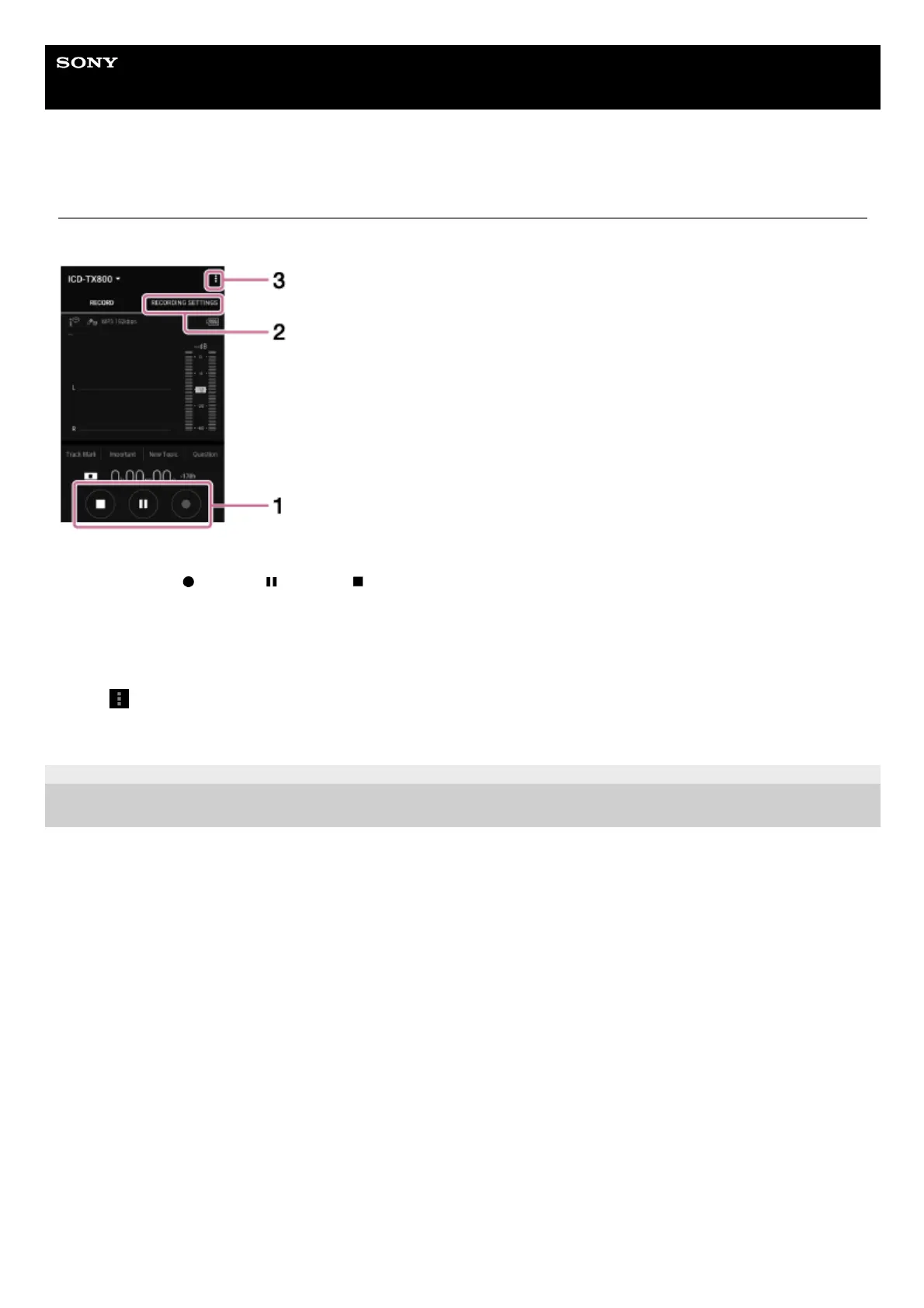
Use the recording operation buttons.
You can start (
), pause ( ), or stop ( ) recording.
1.
Display the settings screen.
To change the recording settings, select the “Recording Settings” tab.
2.
View the help.
Tap
display the REC Remote menu, and then tap “Help” on the menu. For details on operations, refer to the REC
Remote help.
3.



 To Next Page