90
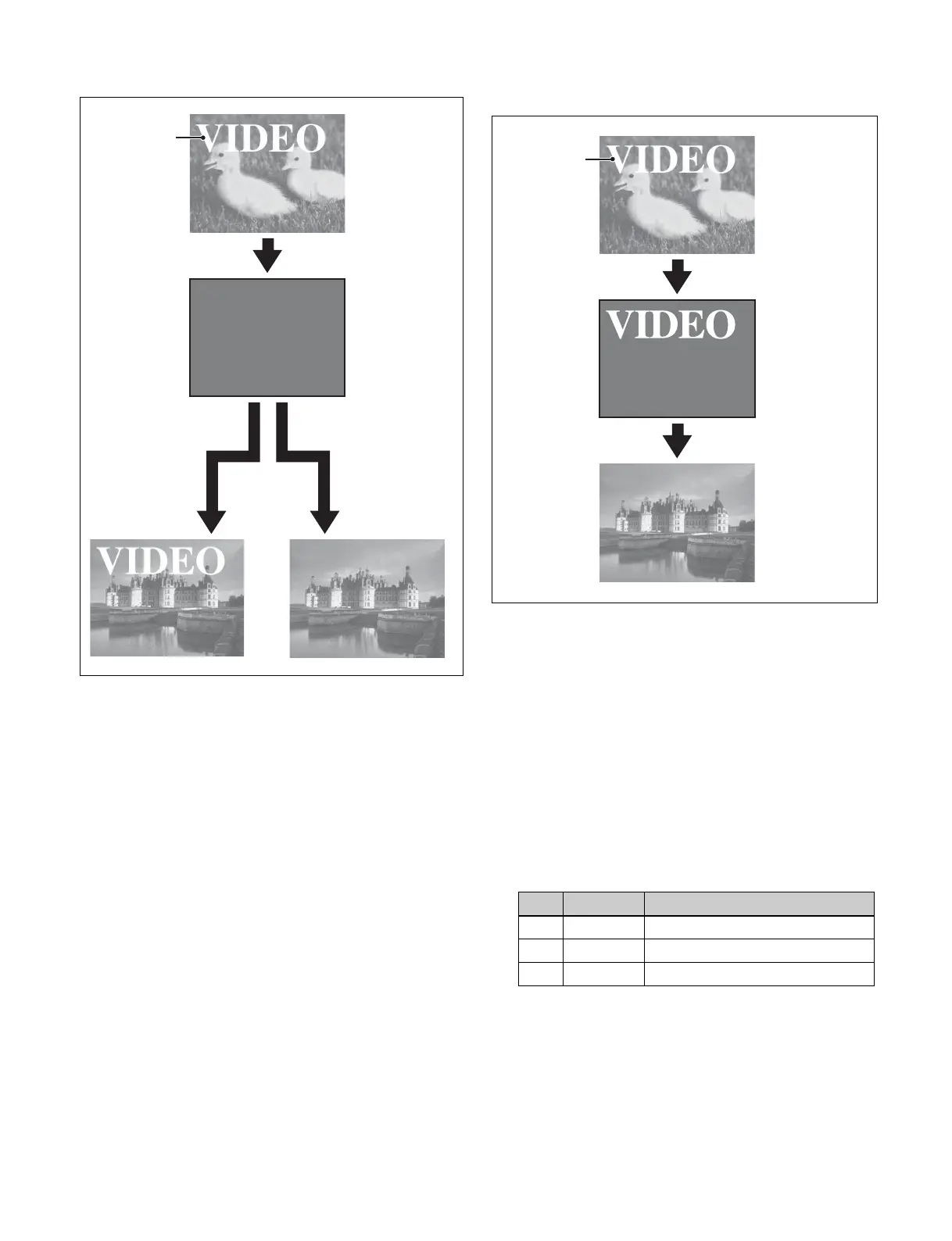
When a key is inserted
It is possible to preserve the key state while carrying out
the color matte mix using settings in the Setup menu.
When, with a key inserted, a key is selected in the
next transition
Setting the color matte
1
Open the M/E-1 >Misc >Transition menu (1171).
2
Select [Preset Color Mix] in the <Transition Type>
group.
3
Select [Flat Color] in the <Preset Color Mix Fill>
group.
To use the utility 2 bus signal, select [Utility 2 Bus].
4
Set the following parameters.
Key
Key gradually
fades in to the
new video.
The key is gradually
removed.
When no key is selected.
When a key is selected in
the next transition.
No. Parameter Adjustment
2 Luminance Luminance
3 Saturation Saturation
4Hue Hue
Key
Key state is
preserved.
The key is gradually
removed.



 To Next Page
 Loading...